xDrip and Juggluco on iPhone: what works and alternatives
xDrip+ and Juggluco are Android apps and aren't in the App Store. On an iPhone you can install xDrip4iOS from a TestFlight invitation or build it yourself, use Zukka (in the App Store, based on the xDrip4iOS code), or use an app like Dulce that reads LibreLinkUp or Dexcom Share while Abbott's or Dexcom's app stays in charge of the sensor and its alarms.
· 5 min read
The short answer: xDrip+ and Juggluco run on Android only, and neither is in the App Store. On an iPhone you have three routes: xDrip4iOS, the open-source iPhone app, which you install from a TestFlight invitation or build yourself; Zukka, an App Store app built from the xDrip4iOS code by a different developer; or an app that reads your readings from LibreLinkUp or Dexcom Share, like Dulce, while Abbott's or Dexcom's own app keeps reading the sensor.
If you're moving from Android to an iPhone, or you've read about xDrip+ or Juggluco in a forum and want the same on your iPhone, this guide explains what each option really is, what you give up with each, and how to pick.
What xDrip+ and Juggluco do on Android
Both apps talk to the sensor directly over Bluetooth. They can replace Abbott's or Dexcom's app on the phone: they receive each reading, draw the graph, sound their own alarms and send the data to watches and other apps. Juggluco's own site calls it an alternative app for Android, for FreeStyle Libre, Dexcom G7 and other sensors. xDrip+ is open source and also Android only.
That direct connection is what people like about them: no Abbott account in the middle, readings even without internet, and a lot of settings. It's also why they don't exist on the iPhone in the same form.
Is there xDrip for iPhone?
Yes, with a catch. xDrip4iOS is a separate open-source project for iPhone, by a different team. Its documentation says it is not distributed through the public App Store. You install it in one of two ways:
- A TestFlight invitation from a publisher you trust. TestFlight builds expire, and the person who publishes them controls places, updates and timing.
- Building it yourself, from a Mac with Xcode, or from the browser with GitHub Actions and Fastlane. A free Apple account gives you a build that expires after a short signing period; a paid Apple Developer Program membership gives longer-lived builds.
xDrip4iOS can connect directly to some Dexcom and Libre sensors, or work as a follower of Nightscout, LibreLinkUp or Dexcom Share.
There's also Zukka in the App Store, free, which says it is based on the xDrip4iOS code. The xDrip4iOS team states it wasn't made in collaboration with them. If you want something xDrip-like that installs like a normal app, that's the closest thing.
Is there Juggluco for iPhone?
No. Searching the US App Store for "Juggluco" on 4 November 2026 shows no Juggluco app, and Juggluco's own site and code describe an Android and Wear OS app. If someone sends you an "iOS Juggluco" link, treat it with care.
The other route: keep Abbott's app, read the cloud
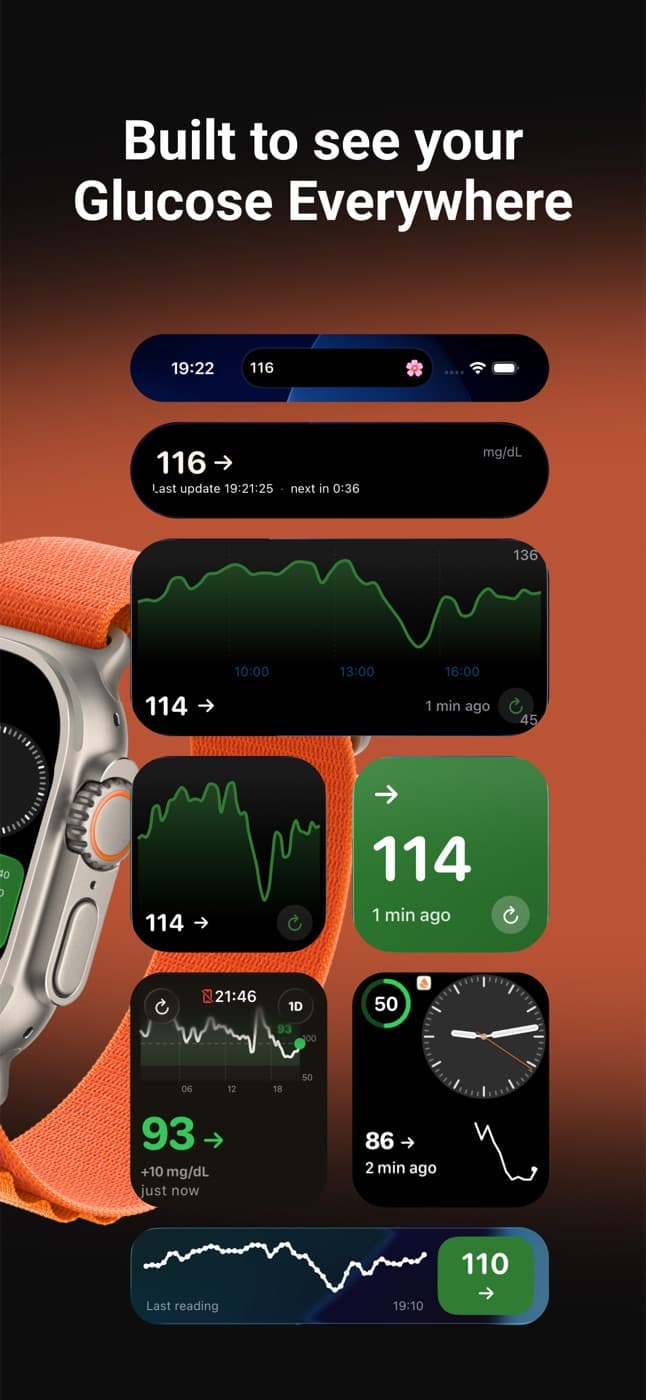
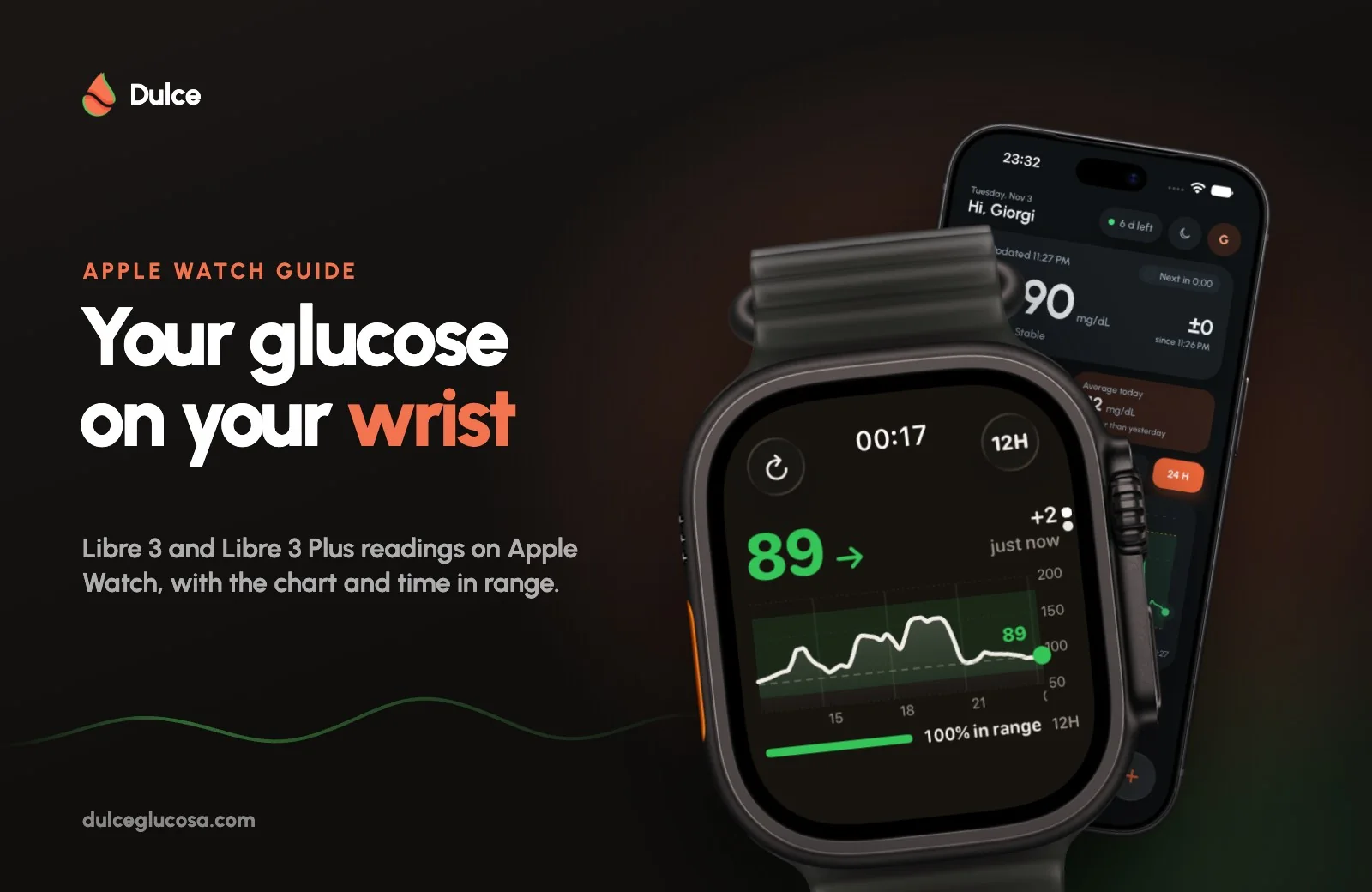
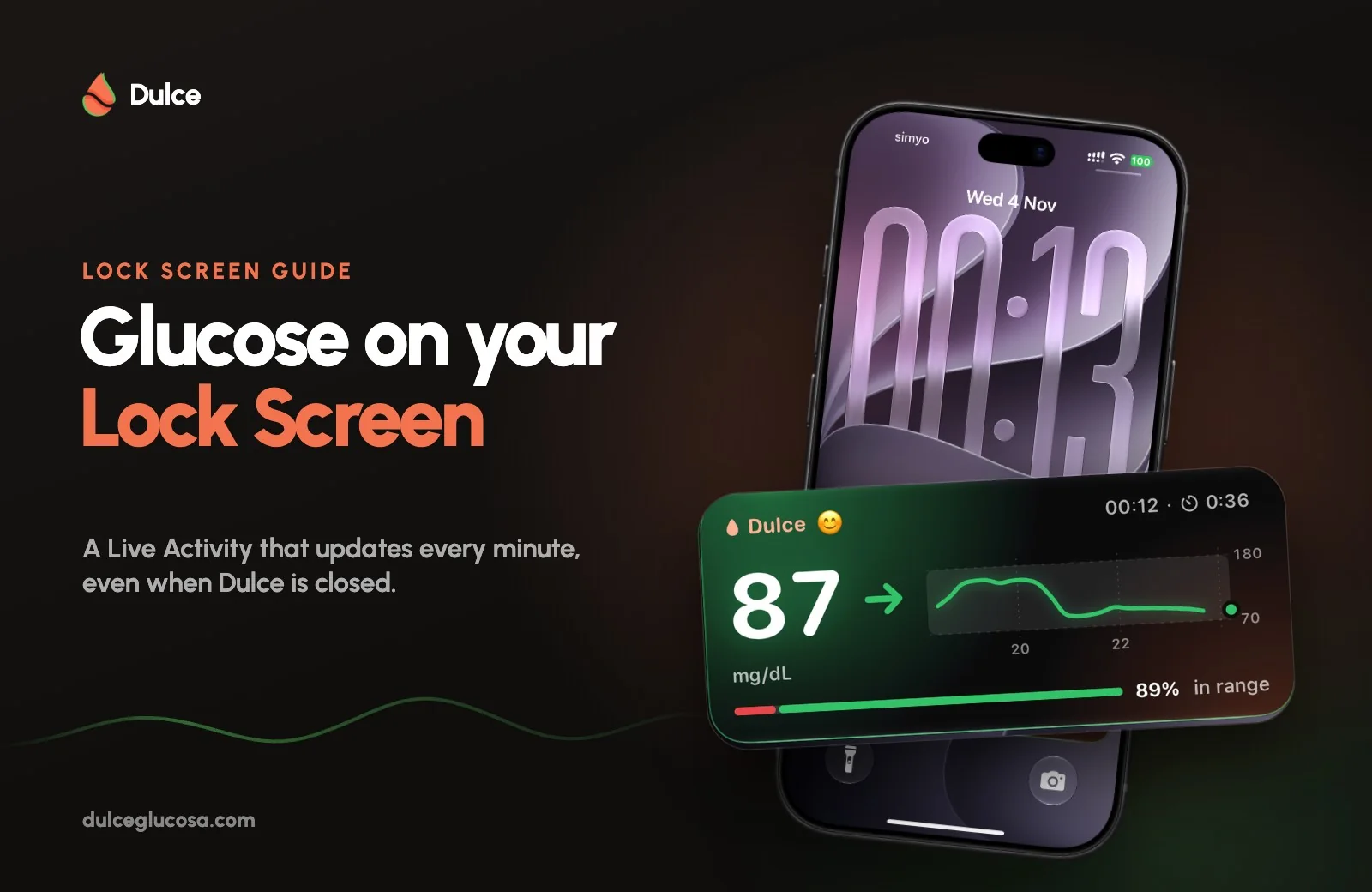
Apps like Dulce don't touch the sensor. Abbott's app (FreeStyle Libre 3, LibreLink or Libre) or Dexcom's app keeps reading it, with its own alarms, and uploads each reading. Dulce signs in to LibreLinkUp or Dexcom Share and puts that same reading on your Lock Screen, in the Dynamic Island, in widgets and on your Apple Watch, and can send it to your family's phones.
| xDrip4iOS / Zukka | Dulce | |
|---|---|---|
| How it gets readings | Directly from some sensors over Bluetooth, or as a follower | From LibreLinkUp or Dexcom Share |
| Abbott's or Dexcom's app | Not needed in direct mode | Keeps running and reading the sensor |
| Internet needed | Not in direct mode | Yes, on the sensor phone and on the phone running Dulce |
| How you install it | TestFlight or your own build (xDrip4iOS); App Store (Zukka) | App Store |
| Family | Through Nightscout or other follower setups | Built in: unlimited followers, free for them |
| Languages | Many (community translations) | English, Spanish, German, French, Italian, Dutch, Finnish, Swedish, Danish, Norwegian, Russian, Georgian |
| Price | Free | Free download; Pro subscription for the Lock Screen, Apple Watch and alerts every minute |
Which one should you pick?
- You want to keep Abbott's or Dexcom's app and its alarms, install from the App Store, and see your number on the Lock Screen and watch, with your family following: Dulce. See the Lock Screen guide and the Apple Watch guide.
- You want no Abbott app at all, readings without internet, or you build your own loop: xDrip4iOS, knowing you'll manage TestFlight expiry or your own builds.
- You want something xDrip-like from the App Store: look at Zukka, and read what it supports for your sensor first.
For the other App Store apps that read LibreLinkUp, like Sweet Dreams and Gluroo, see our comparison of Libre apps for iPhone.
Coming from Android: getting started with Dulce
Start your sensor with Abbott's or Dexcom's app
On the iPhone (or the phone that wears the sensor), use FreeStyle Libre 3, LibreLink or Libre for a Libre, or the Dexcom app for a Dexcom. That app stays in charge of the sensor and its alarms.
Turn on sharing
For a Libre, invite a LibreLinkUp account from the Libre app and accept it in LibreLinkUp. For a Dexcom, turn on Share in the Dexcom app with at least one follower. The setup guide has every step.
Sign in to Dulce
Install Dulce and sign in with that LibreLinkUp account, or with your own Dexcom account for Dexcom Share.
Add your widgets and watch
Add the widgets from your Home Screen and, with Pro, turn on the Live Activity and the Apple Watch app.
Readings reach Dulce after Abbott's or Dexcom's servers receive them, so there's a short delay compared with a direct Bluetooth app. If they stop arriving, see LibreLinkUp not working.
Sources
- xDrip4iOS documentation. Install xDrip4iOS and Install with TestFlight. xdrip4ios.readthedocs.io
- Apple App Store. Zukka (US listing: based on xDrip4iOS). apps.apple.com
- Juggluco. Juggluco (supported sensors, Android and Wear OS). juggluco.nl
- Juggluco source code and README. github.com/j-kaltes/Juggluco
- Abbott. LibreLinkUp FAQs. librelinkup.com
- Apple App Store. Dulce: Glucose at a Glance. apps.apple.com
Quick questions
Is there xDrip for iPhone?
Not xDrip+, which is Android only. For iPhone there is xDrip4iOS, a separate open-source project that isn't in the App Store: you install it from a TestFlight invitation or build it yourself. Zukka, in the App Store, is based on its code.
Is there Juggluco for iPhone?
No. Juggluco is an Android and Wear OS app; on 4 November 2026 there was no Juggluco app in the App Store.
What's the easiest alternative on iPhone?
An App Store app that reads LibreLinkUp or Dexcom Share, like Dulce: you keep Abbott's or Dexcom's app for the sensor and see your glucose on the Lock Screen, widgets and Apple Watch. Read more: Sweet Dreams and LibreLinkUp alternatives: Libre apps compared
Does Dulce read the sensor over Bluetooth like xDrip?
No. Dulce reads your readings from LibreLinkUp or Dexcom Share, so Abbott's or Dexcom's app keeps reading the sensor and you need an internet connection.
This article is for information and does not replace advice from your care team. Dulce is not a medical device and does not replace your sensor's alarms.
Dulce is an independent app, not affiliated with Abbott. FreeStyle Libre, LibreLink and LibreLinkUp are trademarks of Abbott.
Founder of Dulce, lives with type 1 diabetes
Giorgi lives with type 1 diabetes and founded Dulce. He built the app because he was tired of unlocking his phone, opening an app and waiting just to see one number. He writes about what he uses every day with his sensor, iPhone and Apple Watch.