Dulce for Chrome
The Dulce extension puts your glucose on the Chrome toolbar, in Edge and Brave too. Click it for the trend, how old the reading is and the last 12 hours. You link it once with a short code from Dulce on your phone.
What you get
On the toolbar
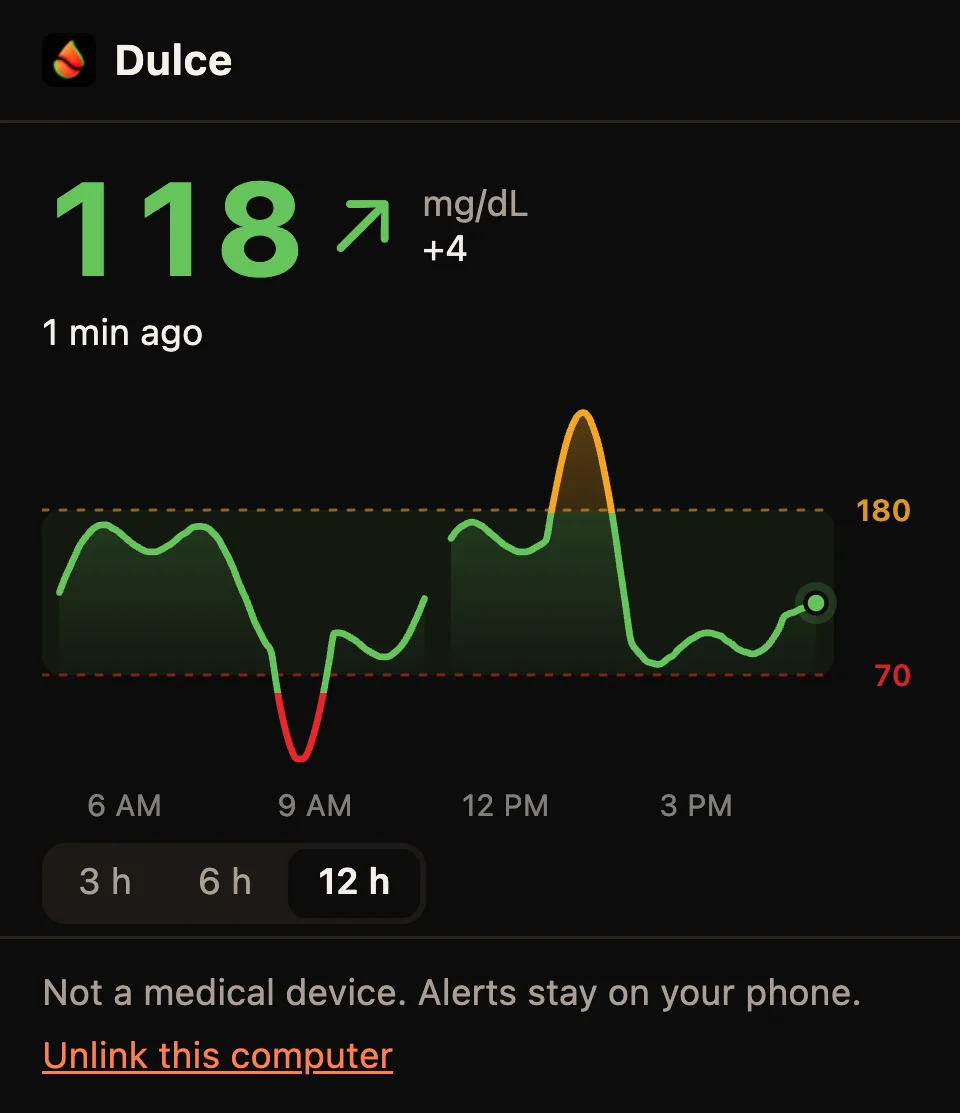
The number sits on the Dulce icon, coloured by range: red below 70, green from 70 to 180, orange above 180. It turns grey when the reading is old.
One click for more
The trend arrow, the change, how old the reading is and a chart of the last 3, 6 or 12 hours with your target range.
Family too
If you follow family members in Dulce, pick who to show in the extension.
Link it in a minute
No account and no sensor password on the computer. Your phone links it.
- 1
Add Dulce to Chrome
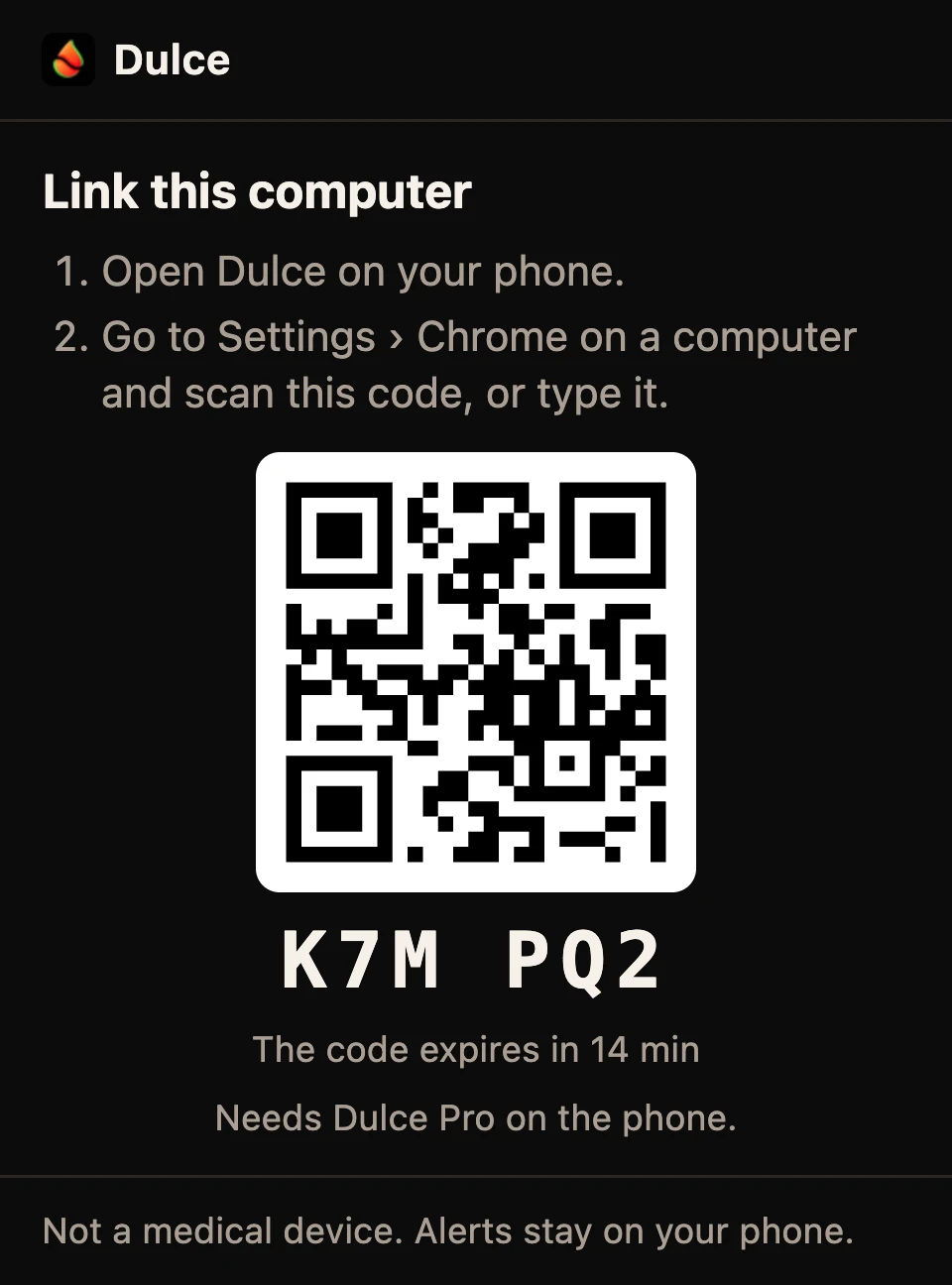
Install the extension and click its icon. It shows a 6-character code and a QR code.
- 2
Open Dulce on your phone
Go to Settings › Chrome on a computer. Scan the QR code with your camera, or type the code.
- 3
Confirm
Tap Link computer. The number shows on the toolbar within a minute and updates every minute.
What you need
- Dulce on your iPhone or Android phone, with a sensor connected through LibreLinkUp, Dexcom, CareLink or Nightscout.
- Dulce Pro, or following someone who has Dulce Pro.
- Chrome, Edge or Brave on a computer.
Good to know
- It only shows your glucose. Alerts stay on your phone, because a browser can sleep.
- Anyone using that browser profile can see your glucose.
- You can link up to 5 watches and computers in total.
- Remove a computer at any time in Dulce › Settings › Chrome on a computer, even when it is off. The extension stops within a minute.
Questions
Does it work in Edge or Brave?
Yes. Edge and Brave install Chrome extensions, and Brave uses the Chrome Web Store directly.
Does it work on a Mac or on Windows?
Yes, on any computer that runs Chrome, Edge or Brave.
How often does it update?
Every minute, the same as Dulce Pro on your phone.
Will it alert me?
No. It only shows the value. Keep alerts on in the Dulce app on your phone.
What does the extension store?
A random link token and the last reading, only in that browser. Never your sensor account or password. Details in the privacy policy, section 2.10.
How do I unlink it?
Remove the computer in Dulce › Settings › Chrome on a computer, or click Unlink this computer in the extension.
Your glucose, where you work.
Dulce is free on the App Store. Chrome on a computer is part of Dulce Pro, with a 14-day free trial.

Chrome and Chrome Web Store are trademarks of Google LLC. Microsoft Edge is a trademark of Microsoft Corporation. Brave is a trademark of Brave Software, Inc. Dulce is independent and not affiliated with or endorsed by them. Dulce is not a medical device and does not replace your sensor's alarms. Screenshots show sample data.