See your glucose without opening the app
Lock Screen, Dynamic Island, widgets and StandBy: which one to use and how to turn it on.
Обновлено 9 ноября 2026 г. · Пока эта страница есть только на английском.
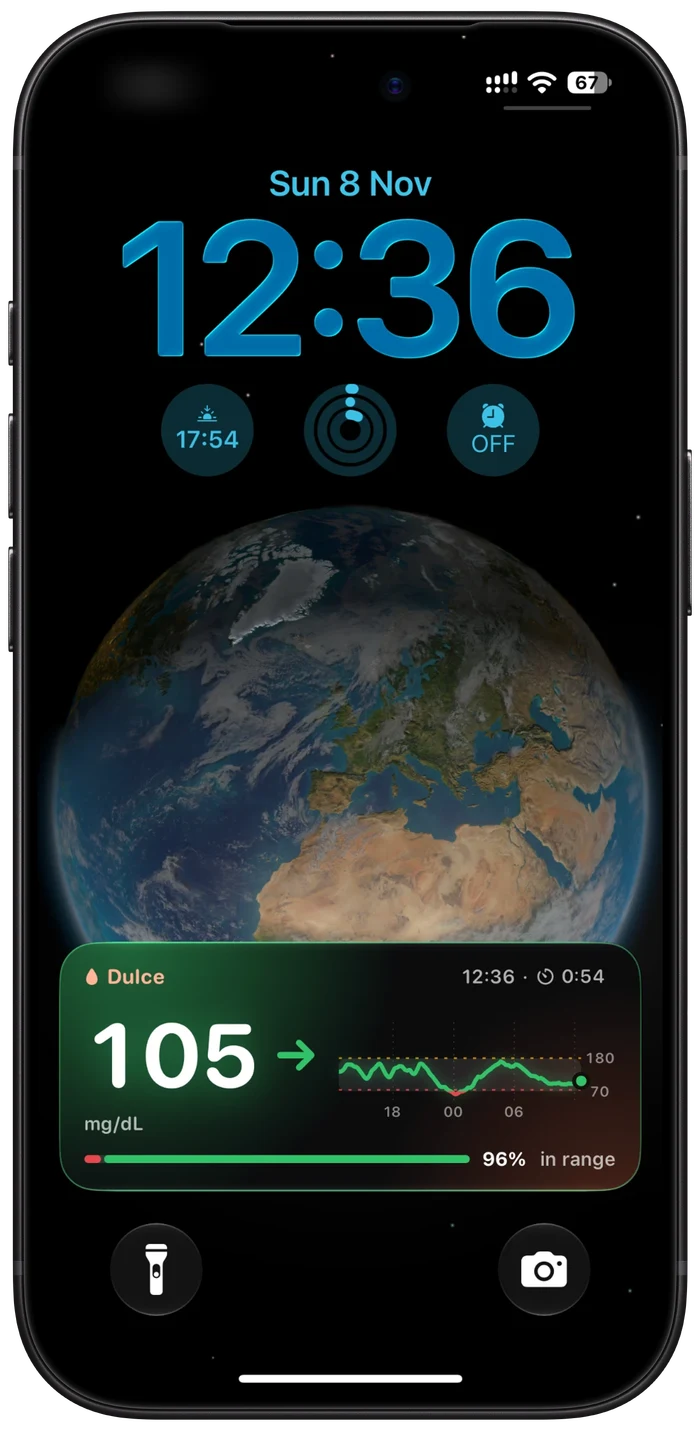
You don't have to open Dulce to know your number. The iPhone gives you three places to show it. Our pick is the Live Activity, because it's the only one that updates with every reading while your iPhone is locked.
Lock Screen and Dynamic Island (Live Activity)
Your number, arrow and chart on the Lock Screen. On iPhone 14 Pro and later it also sits in the Dynamic Island while you use other apps, and it shows on the CarPlay Dashboard and the Apple Watch Smart Stack.
Turn it on
In Dulce, open Settings › Lock Screen and widgets and turn on Live Activity & Dynamic Island. Notifications must be on in Settings › Alerts.
Allow it in iOS
In the iPhone Settings app, open Dulce and check that Live Activities is on.
Pick a look
In Live Activity style choose a design. Some can be customised: background, colours, chart and emoji. The tabs at the top set the Dynamic Island and the CarPlay / Apple Watch card.
Good
- Updates with every new reading, even with the iPhone locked and Dulce closed.
- Also in the Dynamic Island, CarPlay and the Apple Watch Smart Stack.
Keep in mind
- Part of Dulce Pro (14-day free trial).
- iOS ends every Live Activity after some hours. Dulce starts a new one by itself; if it ever goes missing, open Dulce once.
Widgets on the Home Screen and Lock Screen
Two widgets: Glucose (number, arrow and how long ago) and Glucose chart (the last hours as a line). Small and medium on the Home Screen; rectangular, circular and inline on the Lock Screen.
To add one: touch and hold an empty spot on your Home Screen, tap Edit, then Add Widget, and search for Dulce. For the Lock Screen: touch and hold it, tap Customize, then the row under the time.
Good
- Free.
- Always there, next to your other widgets.
Keep in mind
- iOS decides when widgets refresh, so a widget can be a few minutes behind. Each one shows how old the reading is and has a refresh button.
StandBy on the nightstand
Charge your iPhone locked and on its side, and it becomes a bedside clock. The Live Activity, or a Dulce widget, shows large next to the time. Good for checking at night without picking up the phone.
Good
- Readable from bed, no touching.
Keep in mind
- Only while charging in landscape. StandBy must be on in the iPhone settings.
Want your number on your wrist too? See Apple Watch.
Dulce не является медицинским изделием. Он не заменяет сигналы вашего сенсора и советы вашей медицинской команды.
Не получается?
Напишите нам — ответит человек, обычно в течение 48 рабочих часов.
hola@dulceglucosa.com