Diabetes logbook: log carbs and insulin next to your Libre
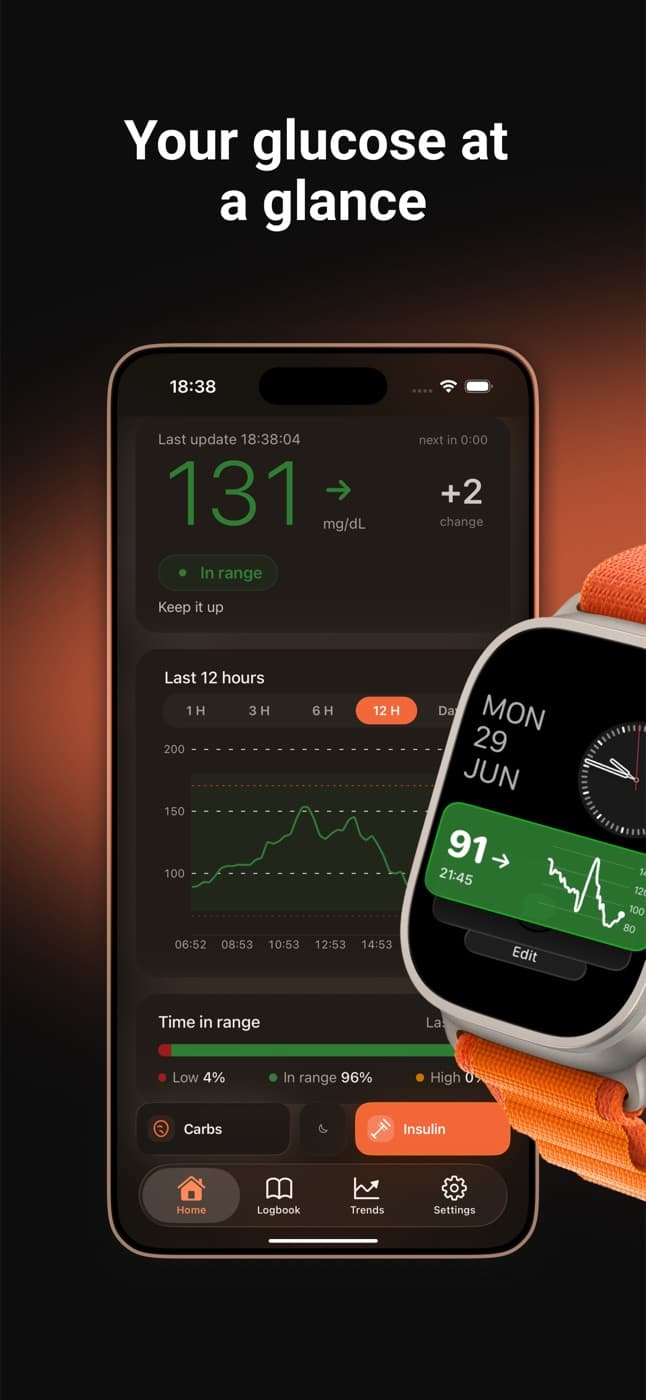
Dulce's Logbook lets you record carbs, insulin (bolus or basal, kept apart) and fingerstick glucose in seconds, from the Logbook tab or the Carbs and Insulin buttons on the home screen. Every entry sits on the same timeline as your sensor readings, so a spike has its reason right next to it. The Logbook is free; Dulce Pro is only needed to read data from Apple Health.
· 2 min read
Your sensor measures glucose by itself, but it doesn't know what you ate or how much insulin you took. Without that, a mid-afternoon spike is just a line going up. Logging is what turns the chart into something you can understand, which is why it has to be quick: if it's a chore, it doesn't happen.
What you can log
From the Logbook tab, or with the Carbs and Insulin buttons on the home screen, you can add:
- Carbs, in grams, with an optional note on what you ate.
- Insulin, in units, marked as bolus or basal.
- Exercise, in minutes.
- Manual glucose, for example a fingerstick reading to check your sensor.
- A free-text Note.
Log it in seconds
Tap + or a quick button
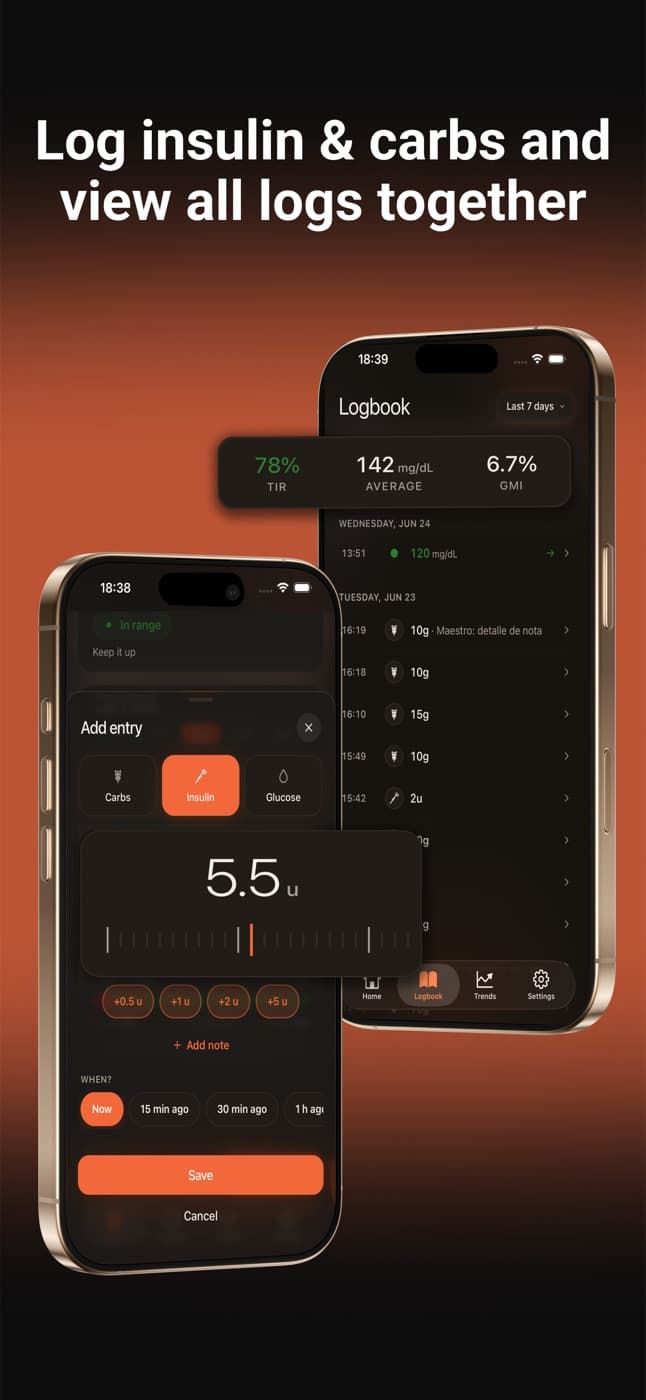
In the Logbook tap +, or use Carbs or Insulin on the home screen.
Pick the amount
Slide the ruler to the amount or tap one of the shortcuts to add to it.
Say when
Now, 15 minutes ago, 30, 1 hour ago or another time. So it doesn't matter if you log it late.
Save
Tap Save. The entry shows up instantly in your Logbook and as a marker on the chart.
Made a mistake? Tap any entry to edit or delete it.
Everything on one timeline
The Logbook puts what you log and your sensor readings in order, day by day, with the period's time in range, average and GMI at the top. You can look at today or the last 7, 14 or 30 days.
If you use other apps that save insulin or carbs to Apple Health (a smart pen or a food app, for example), Dulce can read them and show them here too, marked with where they came from. See the Apple Health guide.
What it's good for in practice
- Understanding a spike. Did you go up after lunch because the bolus was late, or because there were more carbs than you counted?
- Bringing data to appointments. Your care team understands a week with meals and insulin far better than a curve with no context.
- Spotting patterns. Together with the time-of-day view in the Trends tab, it's easy to see which meal or time keeps repeating.
Quick questions
Do I need Dulce Pro for the Logbook?
No. The Logbook and the Trends tab are in the free version. You only need Pro to read data from Apple Health.
Can I keep bolus and basal apart?
Yes. When you log insulin you choose bolus or basal, and it shows that way in the Logbook.
What if I use mmol/L?
Manual glucose is entered in whichever unit you chose in Settings, mg/dL or mmol/L.
This article is for information and does not replace advice from your care team. Dulce is not a medical device and does not replace your sensor's alarms.
Dulce is an independent app, not affiliated with Abbott. FreeStyle Libre, LibreLink and LibreLinkUp are trademarks of Abbott.
Founder of Dulce, lives with type 1 diabetes
Giorgi lives with type 1 diabetes and founded Dulce. He built the app because he was tired of unlocking his phone, opening an app and waiting just to see one number. He writes about what he uses every day with his sensor, iPhone and Apple Watch.