Garmin watch face with glucose: the Dulce face
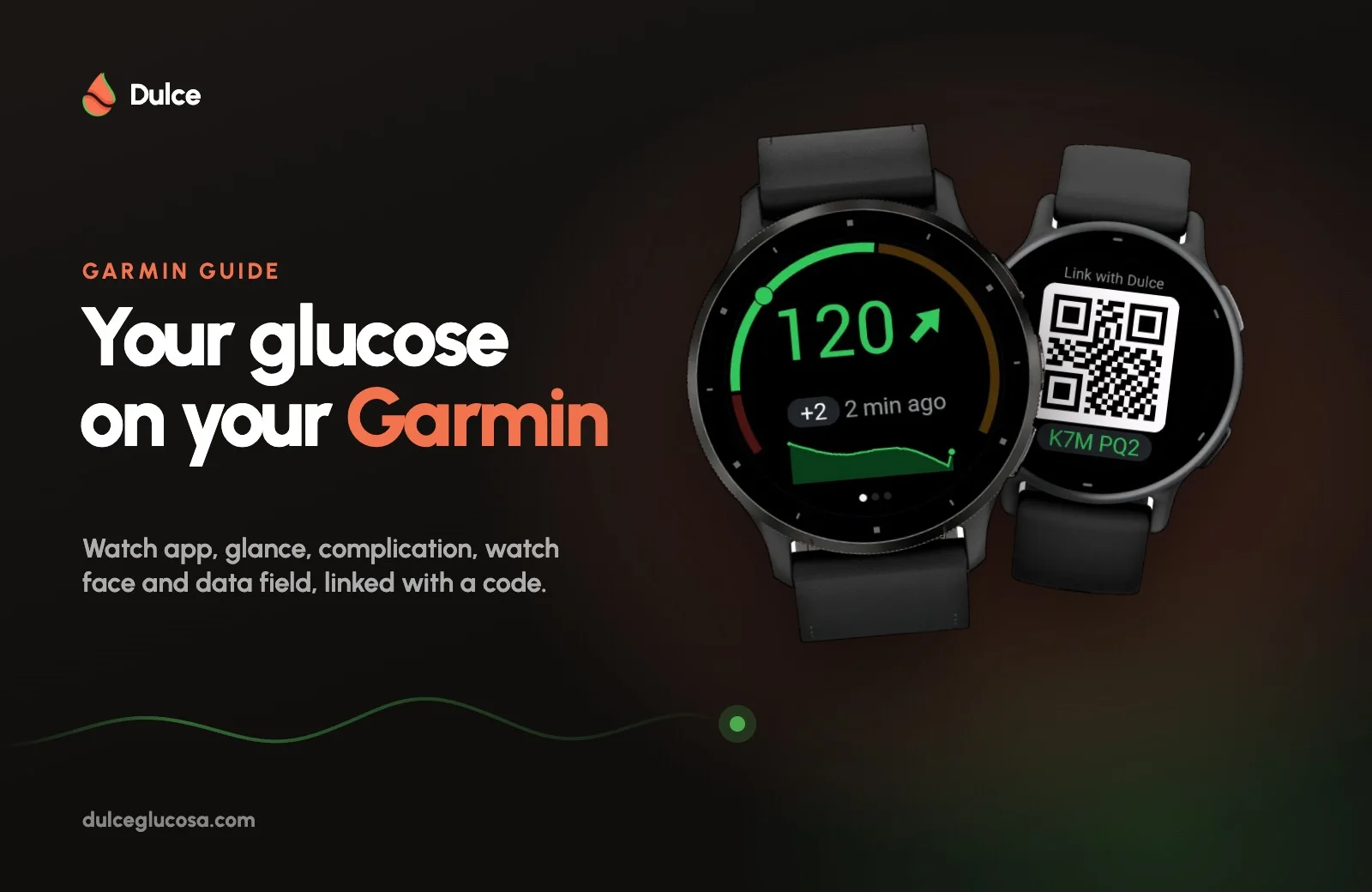
Dulce's watch face for Garmin shows your glucose with its trend arrow, change and age next to the time, with a gauge around the edge, a 3-hour graph and slots for battery, steps or heart rate. You choose between a Time style and a Glucose style, and on AMOLED watches an always-on mode keeps the time and your number on a dark screen. It updates every 5 minutes, Garmin's limit for watch faces, and needs Dulce Pro and your phone nearby.
· 4 min read
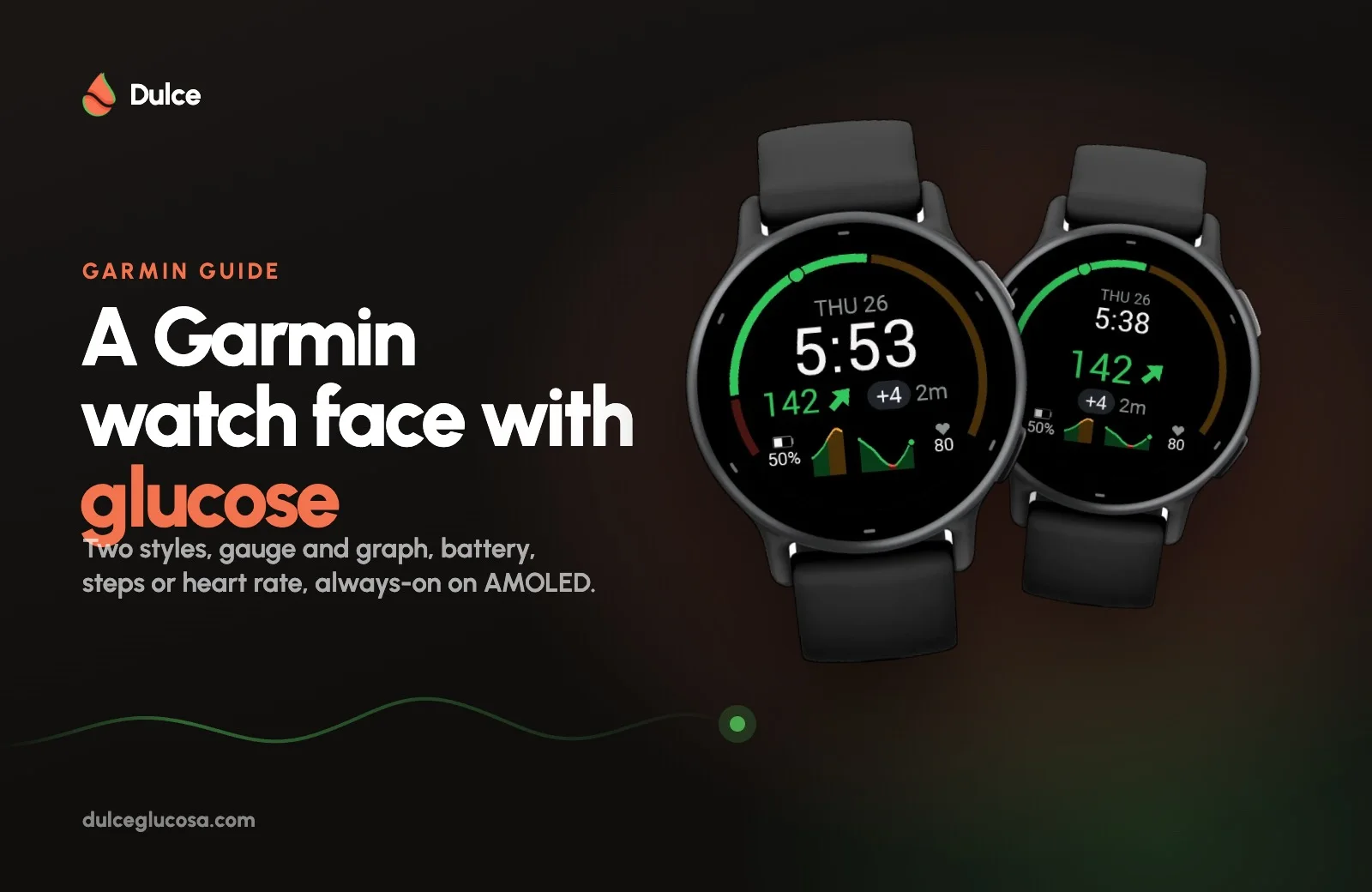
The fastest way to see your glucose is to have it where you already look: next to the time. If you wear a Garmin, the Dulce watch face does exactly that. It shows your glucose with its arrow, how much it changed and how old the reading is, around the time, with a gauge on the edge and a short graph. This guide explains the two styles, the settings, the always-on mode and how to install it.
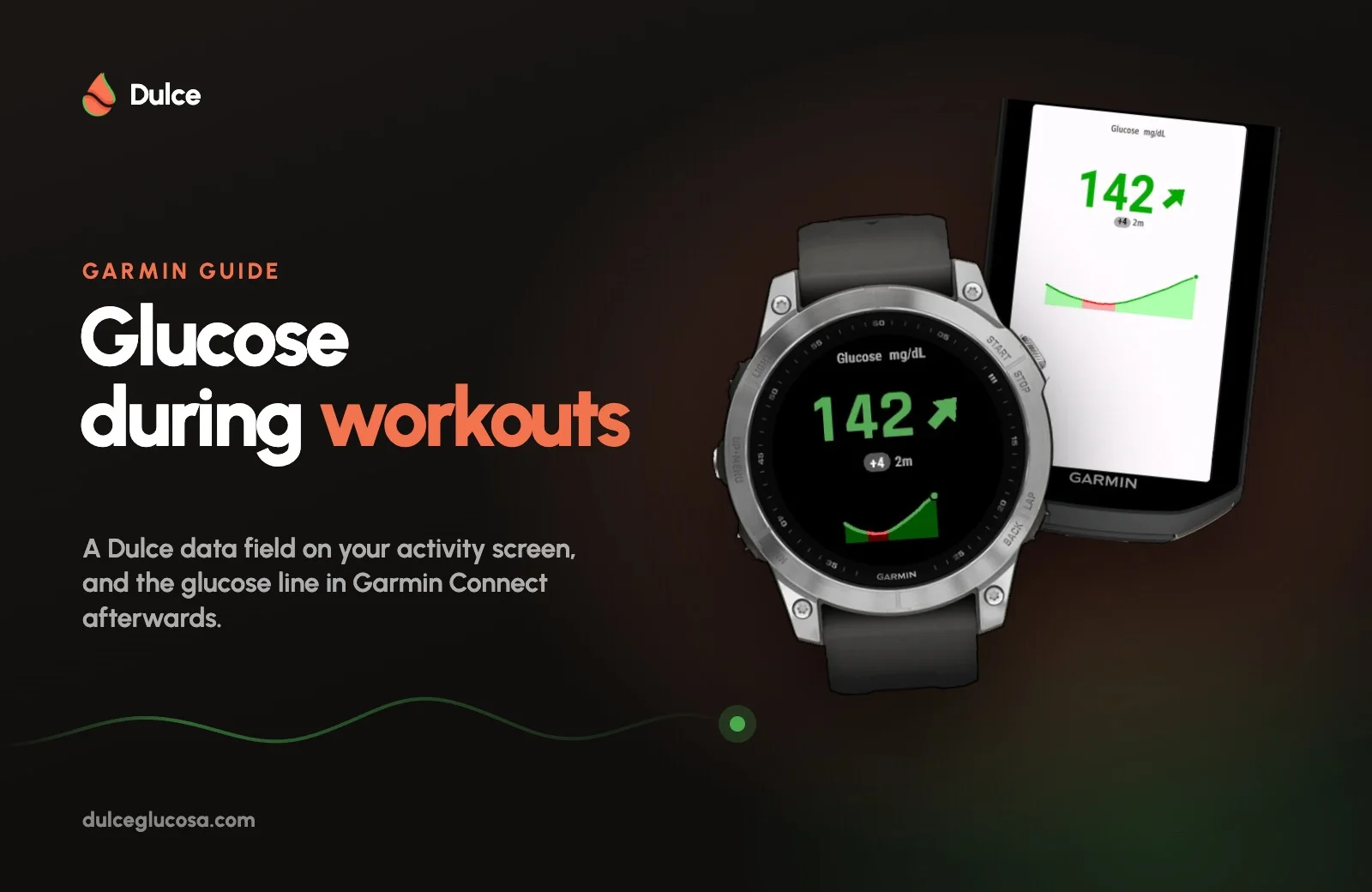
The watch app, the data field and the full list of watches are on the Dulce for Garmin page.
Two styles
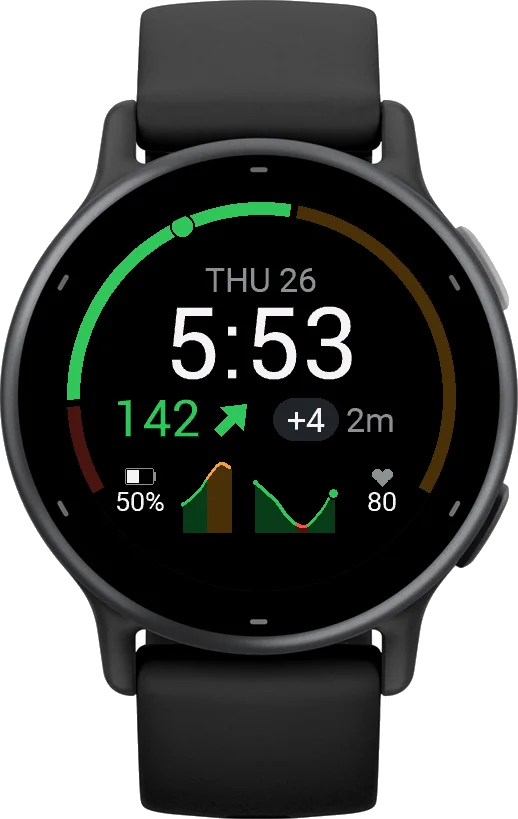
Time (the default) puts the time first: the date small on top, the time large, and under it your glucose in its zone colour with the trend arrow, the change and the reading's age. A gauge around the edge shows where you are between low, in range and high, and a 3-hour graph sits at the bottom with two small data slots beside it.
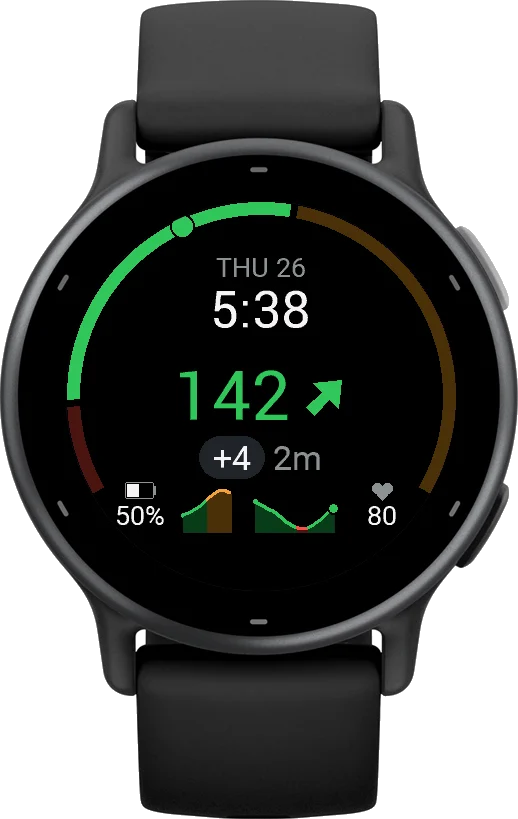
Glucose turns it around: your number is the largest thing on the screen, in the centre, with the time smaller above it.
Settings
Open the watch face's settings in the Connect IQ section of Garmin Connect (on many watches you can also change them on the watch). You can choose:
- Style: Time or Glucose.
- Show gauge and Show graph: on or off.
- Left data and Right data: battery, steps, heart rate, or off.
Colours follow the zones every Dulce screen uses: red below 70 mg/dL (3.9 mmol/L), green from 70 to 180 (3.9 to 10.0), orange above. On the black and white screens of Instinct watches the face stays white on black, bold and simple.
Always-on on AMOLED watches
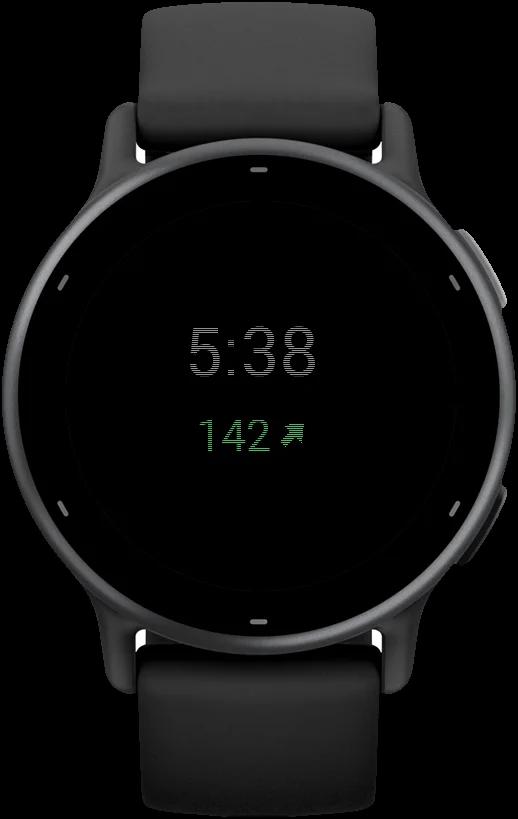
On watches with an AMOLED screen (Venu, vívoactive 5 and 6, epix, fēnix 8 AMOLED and others), the face has a low-power always-on mode for when your wrist is down: a dark screen with the time in grey and your number in its zone colour, without the gauge, graph or slots. It moves slightly every minute to protect the screen. Raise your wrist and the full face comes back.
Install and link it
Install the watch face
In the Connect IQ Store, find Dulce and install the watch face. Garmin Connect syncs it to the watch.
Select it on the watch
Choose the Dulce face as your watch face. Until it's linked, it shows a 6-character code under the time.
Type the code in Dulce
On your iPhone, open Dulce, go to Settings › Garmin watch, enter the code and tap Link watch.
The face is linked separately from the watch app and the data field: each shows its own code. The linking steps with screenshots are in how to see your glucose on a Garmin watch.
What you need
- Dulce Pro (14-day free trial) or following someone who has it. See what Pro includes.
- The latest version of Dulce on your iPhone, connected to your sensor through LibreLinkUp, Dexcom Share, Medtronic CareLink or Nightscout.
- Garmin Connect running in the background on your phone, and the phone nearby.
- A Garmin watch with Connect IQ 3.1 or later. Edge bike computers don't take watch faces; for them there's the data field.
How often the face updates
Watch faces can only fetch data in the background, and Garmin allows that every 5 minutes. The face shows the reading's age next to the number, and an old reading turns grey. For a reading about every minute, open the Dulce watch app: while it's open it refreshes about every minute.
Prefer a Garmin face?
If you'd rather keep one of Garmin's own faces, install the Dulce watch app instead: on watches whose faces accept Connect IQ complications, you can put your Dulce number in one of the face's slots.
Sources
- Garmin Developers. Connect IQ: complications (apps publishing a value that watch faces can show). developer.garmin.com
- Garmin Developers. Connect IQ: background services and temporal events (background updates at most every 5 minutes). developer.garmin.com
Quick questions
Is there a Garmin watch face that shows glucose?
Yes. The Dulce watch face in the Connect IQ Store shows your CGM glucose, trend arrow, change and the reading's age next to the time, on Garmin watches with Connect IQ 3.1 or later.
Can I keep my Garmin watch face and still see glucose?
Yes, on watches whose faces accept Connect IQ complications. Install the Dulce watch app and put its complication in a slot of your Garmin face. Read more: How to see your glucose on a Garmin watch
Does the Dulce face work always-on?
Yes. On AMOLED watches it has a low-power always-on mode that shows the time and your number on a dark screen.
Can I show heart rate or steps on the Dulce face?
Yes. The face has two data slots you can set to battery, steps, heart rate or off in the face's settings in Garmin Connect.
This article is for information and does not replace advice from your care team. Dulce is not a medical device and does not replace your sensor's alarms.
Dulce is an independent app, not affiliated with Abbott. FreeStyle Libre, LibreLink and LibreLinkUp are trademarks of Abbott.
Founder of Dulce, lives with type 1 diabetes
Giorgi lives with type 1 diabetes and founded Dulce. He built the app because he was tired of unlocking his phone, opening an app and waiting just to see one number. He writes about what he uses every day with his sensor, iPhone and Apple Watch.