How to see your glucose on a Garmin watch
To see your glucose on a Garmin watch, install Dulce from the Garmin Connect IQ Store, open it on the watch and type the 6-character code it shows in Dulce on your iPhone, under Settings › Garmin watch. It works with Garmin watches that have Connect IQ 3.1 or later and with any sensor Dulce reads through LibreLinkUp, Dexcom Share, CareLink or Nightscout. It needs Dulce Pro (14-day free trial) or following someone who has it, and the Garmin Connect app running on your phone nearby.
· 5 min read
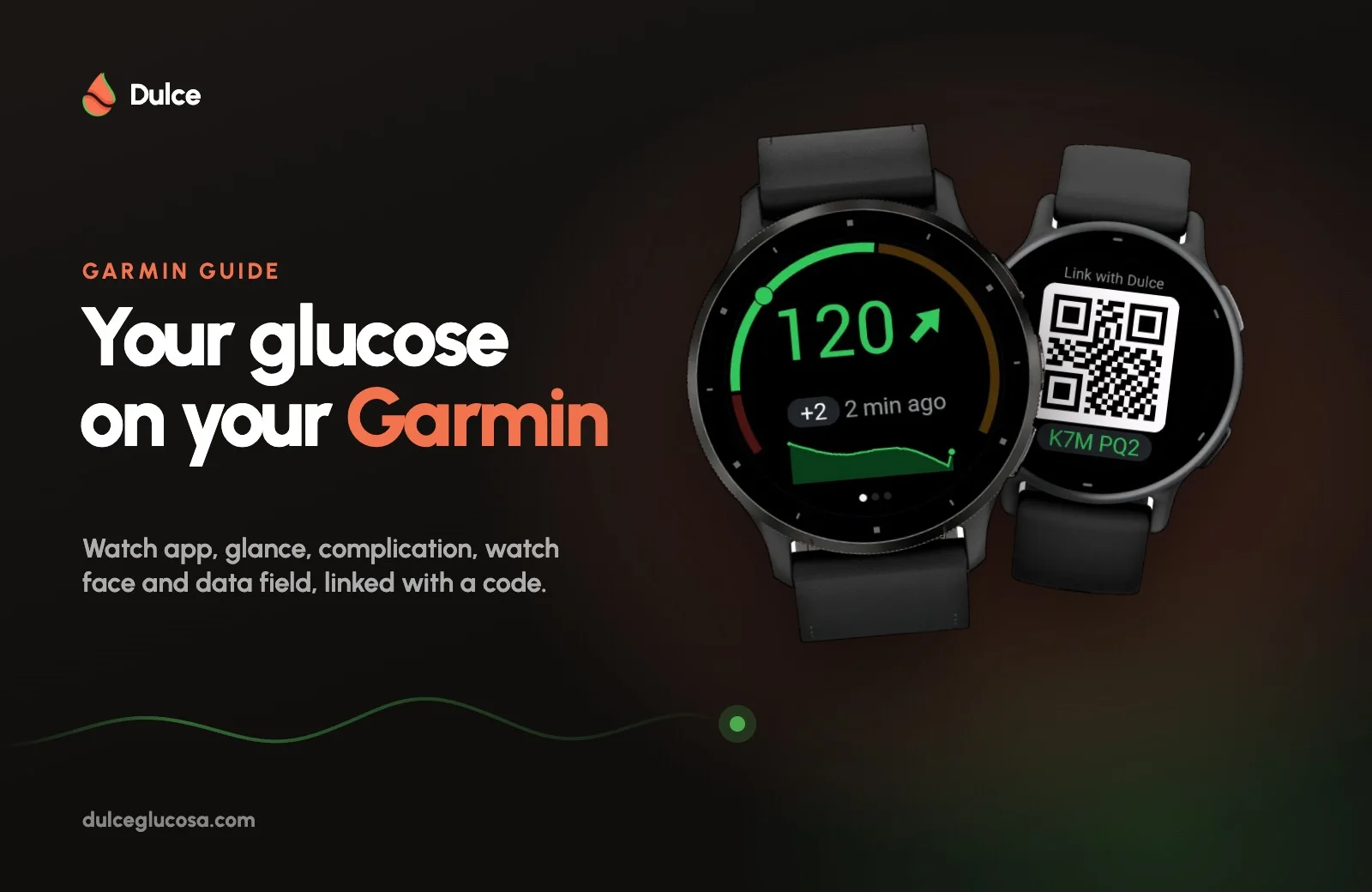
Plenty of people who wear a glucose sensor wear a Garmin too, for running, cycling, hiking or simply because the battery lasts a week. Until now, getting your glucose onto that watch meant a workaround. Dulce now has its own apps in the Garmin Connect IQ Store: a watch app with a glance and a complication, a watch face, and a data field for workouts. This guide shows how to link your watch step by step, what you need, and what to expect.
Everything about Dulce on Garmin, including the full list of watches, is on the Dulce for Garmin page.
What shows on the watch
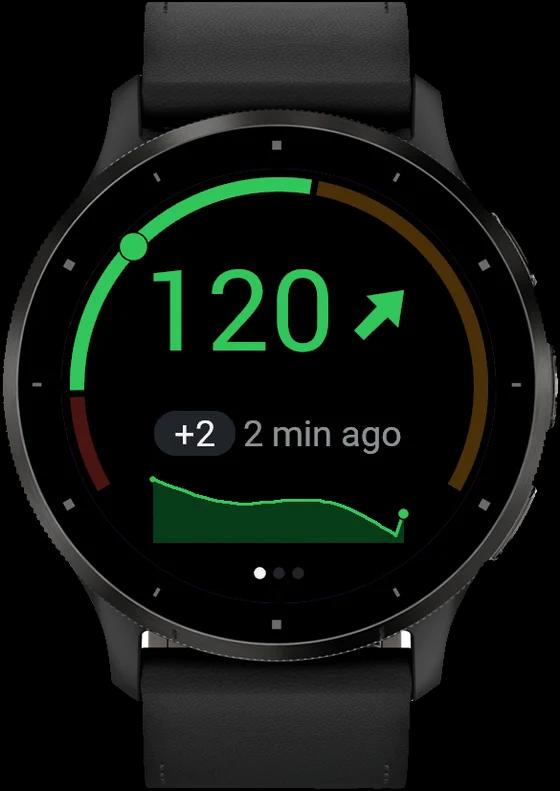
- Watch app, with three pages: Now (your number large in its zone colour, the trend arrow, the change, the reading's age, a gauge around the edge and a 3-hour graph), Graph (1, 3, 6 or 12 hours, with your target range as a band) and In range (time in range over the last 12 hours, with the average and the time low and high).
- Glance: swipe from the watch face to see the number, arrow, change and a small graph.
- Complication: on watches whose faces accept Connect IQ complications, your number in a slot of a Garmin face.
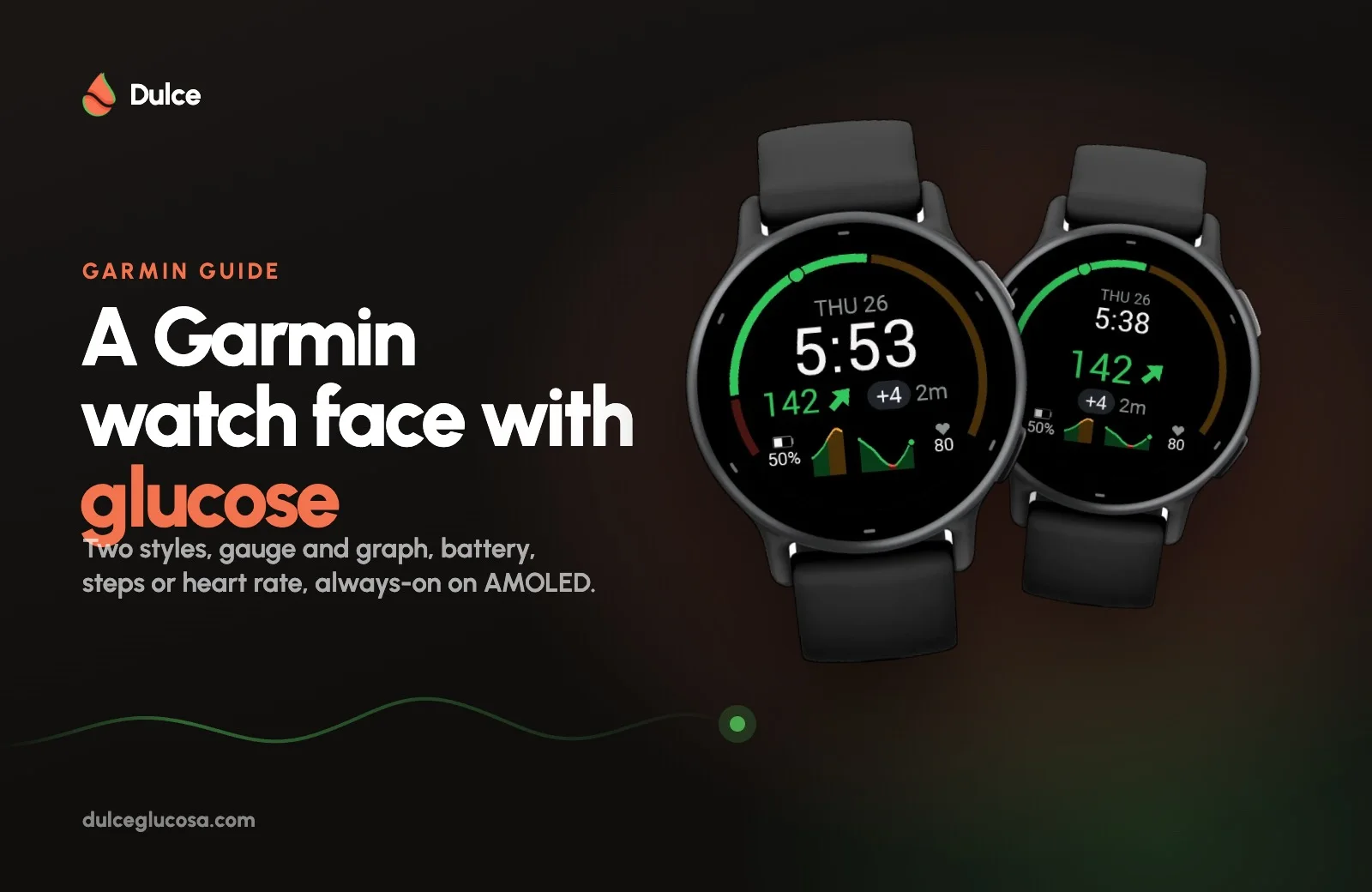
- Watch face: Dulce's own face, explained in the Garmin watch face guide.
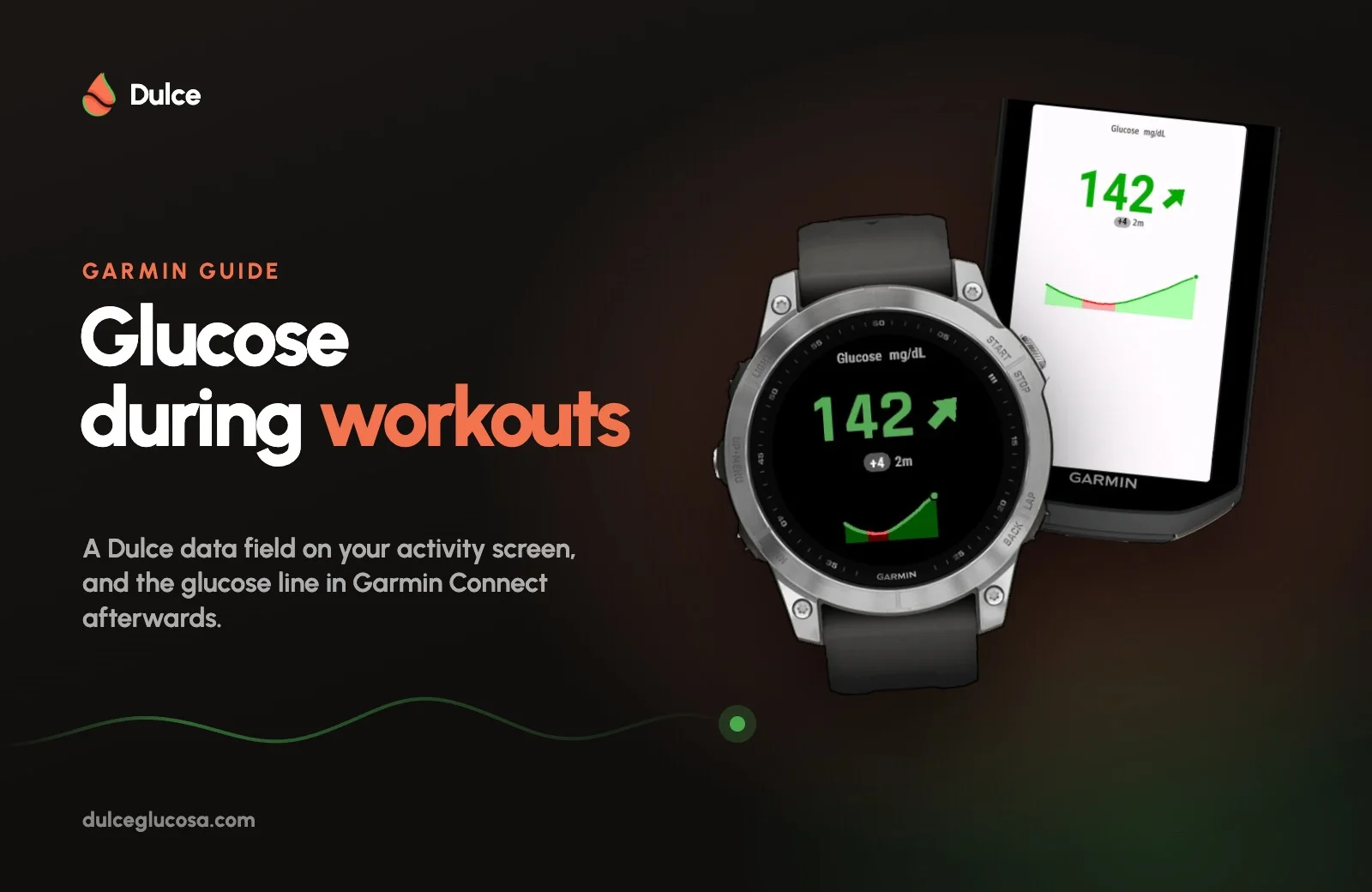
- Data field: your glucose on an activity screen, explained in the guide to glucose during workouts.
What you need
- Dulce Pro, which has a 14-day free trial, or following someone who has Dulce Pro. See what Dulce Pro includes.
- Dulce connected to your sensor through LibreLinkUp, Dexcom Share, Medtronic CareLink or Nightscout (the sensors page has the steps). Readings that only come from Apple Health can't reach the watch.
- The latest version of Dulce on your iPhone.
- The Garmin Connect app on your phone, paired with your watch. On iPhone, keep it open in the background: if you swipe it away, the watch stops updating.
- A Garmin watch with Connect IQ 3.1 or later: most fēnix, epix, Forerunner, Venu, vívoactive, Instinct, Enduro, MARQ, Descent, Approach and D2 models from the last several years.
How to link your watch
Install Dulce from the Connect IQ Store
On your phone, open the Connect IQ Store (inside Garmin Connect or its own app), search for Dulce and install the watch app. Wait for Garmin Connect to sync it to the watch.
Open Dulce on the watch
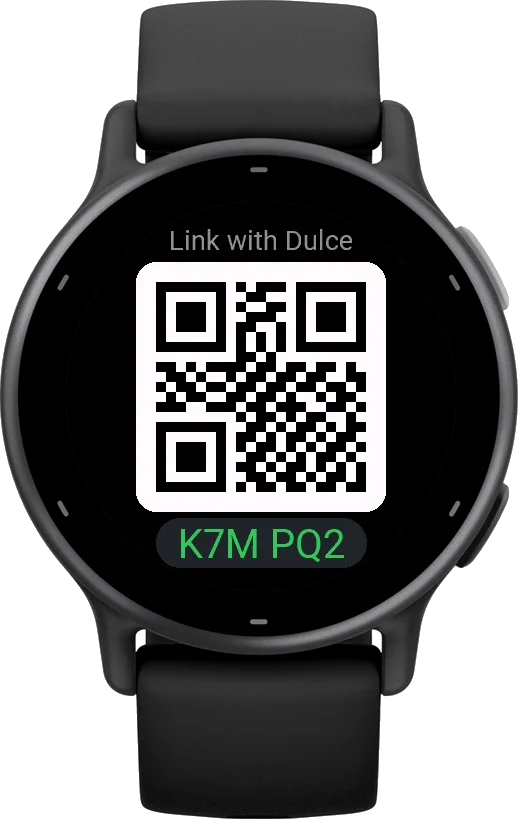
Find Dulce in the watch's apps or glances and open it. Because it isn't linked yet, it shows a 6-character code and, on colour screens, a QR code.
Open Garmin watch in Dulce
On your iPhone, open Dulce and go to Settings › Garmin watch.
Type the code
Enter the code from the watch and tap Link watch. You can also scan the QR code on the watch with your iPhone's camera. Only link a watch you're holding.
Check the watch
Within a few seconds the watch shows your glucose. Under Linked watches in Dulce you'll see it listed, and you can unlink it from there at any time.
The watch face and the data field are separate downloads with their own codes, so repeat the steps for each one you install. You can link up to 5 watches.
How often it updates
While the Dulce watch app is open on the watch, it refreshes about every minute. The glance, complication, watch face and data field update in the background, and Garmin only allows that every 5 minutes. So the number on your watch face can be a few minutes behind your phone. Every screen shows how old the reading is, and an old reading turns grey so it can't pass for a fresh one.
If you follow someone
On a phone that follows someone, the watch shows that person's glucose, using their Dulce Pro. If you follow several people, choose who to show in the watch app's menu. That works well for a parent who wants to see a teenager's glucose during their own run, or a partner who'd rather glance at a wrist than a phone. More about following in the family sharing guide.
If the watch doesn't update
- Is Garmin Connect running? On iPhone, open it and leave it in the background. Check that the watch shows as connected.
- Is the phone nearby? The watch gets its data through your phone over Bluetooth.
- Is Dulce getting readings? If the number in Dulce on your phone is old, the watch will be too. Start there.
- Code not accepted? Codes expire. Open Dulce on the watch again to get a new one.
- "Needs Dulce Pro" on the watch? Start the trial in Dulce, or check that the person you follow still has Pro.
Limits worth knowing
- The watch shows readings; it doesn't sound alerts. Dulce's alerts still arrive on your phone as normal notifications, and Garmin can show phone notifications on the watch.
- It needs your phone nearby. Without it, the reading's age keeps counting up.
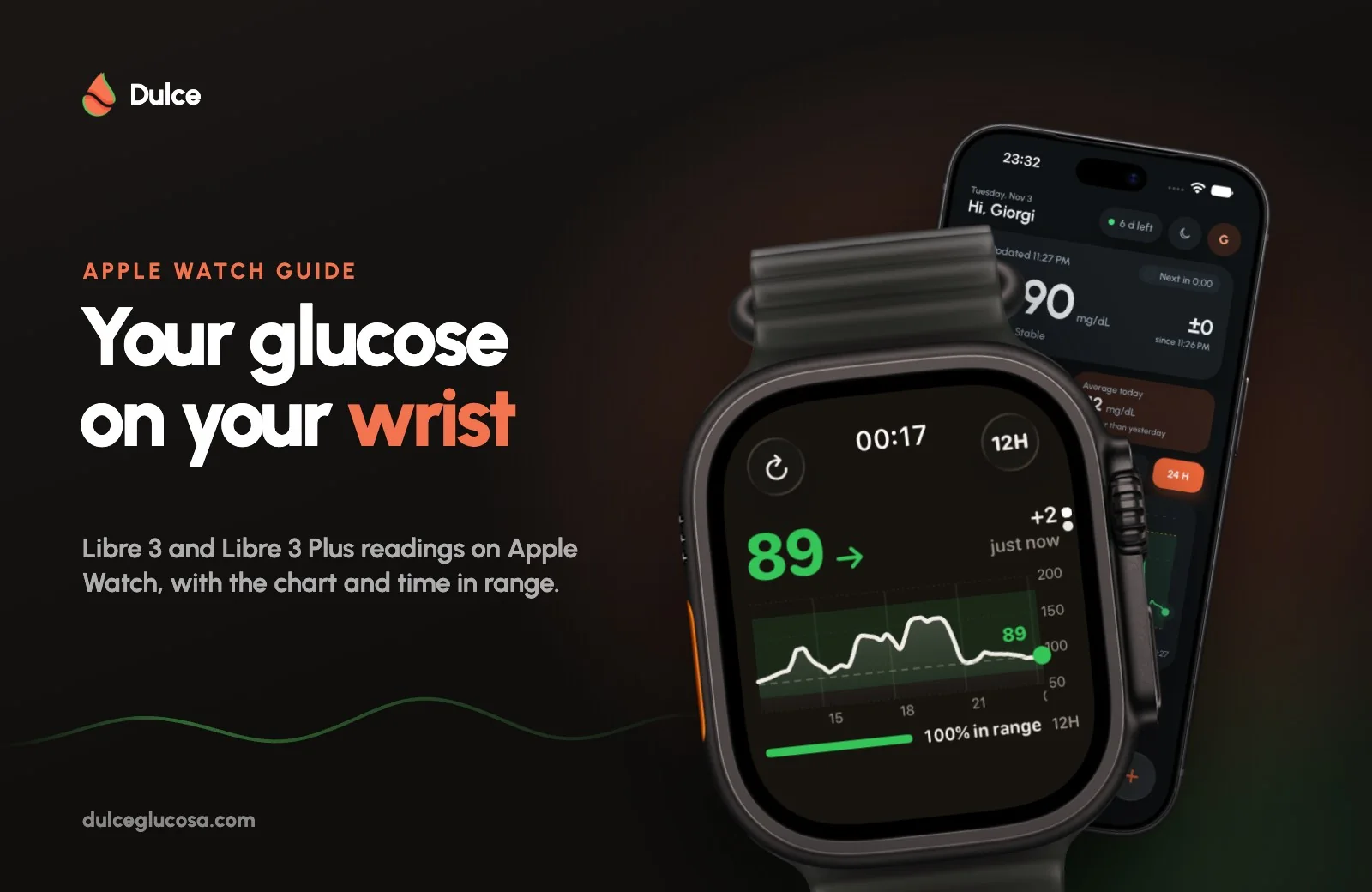
- Dulce on Garmin is part of Dulce Pro. The Apple Watch app is too: compare them in the Apple Watch guide.
Sources
- Garmin. Connect IQ Store (installing apps, watch faces and data fields on Garmin devices). apps.garmin.com
- Garmin Developers. Connect IQ: background services and temporal events (background updates at most every 5 minutes). developer.garmin.com
Quick questions
Can I see my FreeStyle Libre glucose on a Garmin watch?
Yes. Dulce reads your Libre glucose through LibreLinkUp and shows it on Garmin watches with Connect IQ 3.1 or later, in a watch app, glance, complication, watch face or data field.
Does Dulce on Garmin work with Dexcom?
Yes. Any sensor Dulce reads through Dexcom Share, LibreLinkUp, Medtronic CareLink or Nightscout reaches the watch. Readings that only come from Apple Health don't.
Why does my Garmin show an older reading than my phone?
Garmin lets the glance, complication, watch face and data field update in the background only every 5 minutes. With the Dulce watch app open, it refreshes about every minute. Read more: Garmin watch face with glucose: the Dulce face
Do I need Dulce Pro?
Yes, Garmin support is part of Dulce Pro, with a 14-day free trial. If you follow someone who has Dulce Pro, you can link your own Garmin without a subscription. Read more: How to share your Libre glucose with your family
This article is for information and does not replace advice from your care team. Dulce is not a medical device and does not replace your sensor's alarms.
Dulce is an independent app, not affiliated with Abbott. FreeStyle Libre, LibreLink and LibreLinkUp are trademarks of Abbott.
Founder of Dulce, lives with type 1 diabetes
Giorgi lives with type 1 diabetes and founded Dulce. He built the app because he was tired of unlocking his phone, opening an app and waiting just to see one number. He writes about what he uses every day with his sensor, iPhone and Apple Watch.