Your Libre glucose on the iPhone Lock Screen and Dynamic Island
The Libre app doesn't show your glucose on the iPhone Lock Screen, but a Live Activity can: your number, trend arrow and reading time stay on the Lock Screen and in the Dynamic Island. In Dulce, connect LibreLinkUp, turn on Live Activity & Dynamic Island in Settings and allow Live Activities for Dulce in the iPhone Settings app. With Dulce Pro it updates every minute, even with the phone locked and the app closed.
· 3 min read
We check our glucose dozens of times a day. If every check means unlocking the iPhone, finding the app and waiting for it to load, we end up checking less than we should. The official Libre app doesn't put your number on the Lock Screen, but the iPhone can do it with a Live Activity: a box that stays on the Lock Screen and also shows in the Dynamic Island.
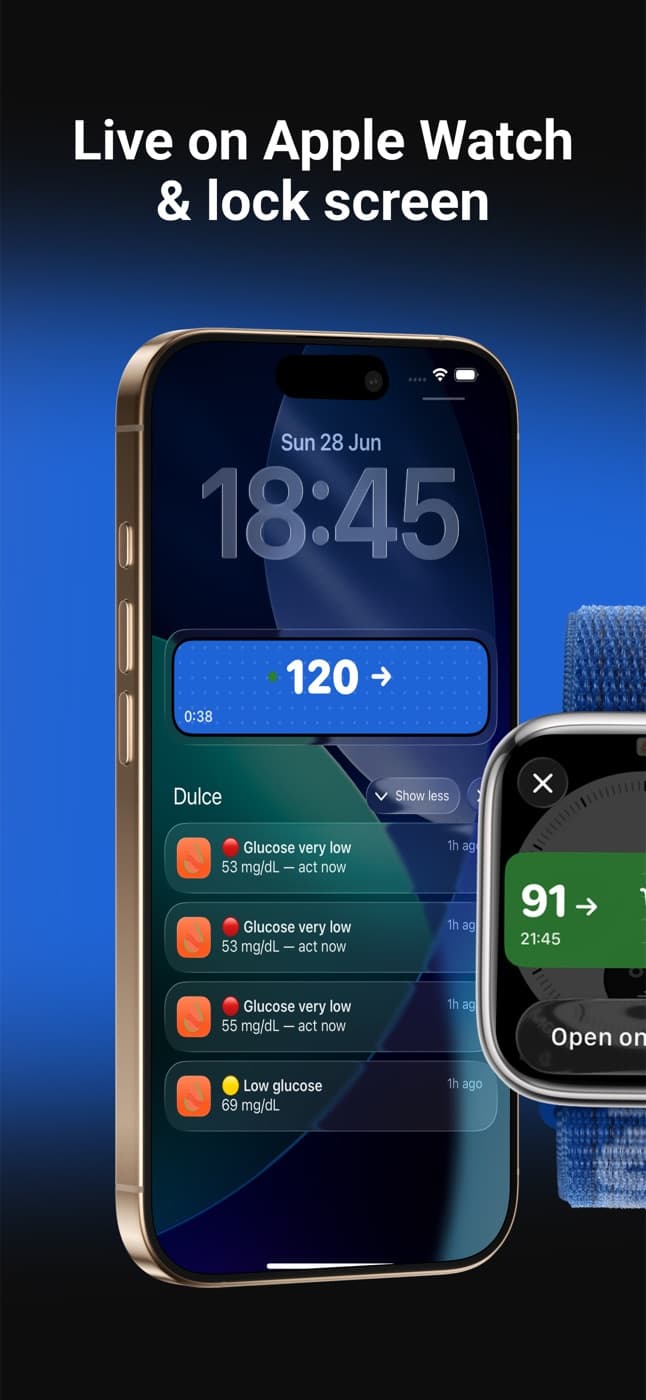
What you see on the Lock Screen
- Your glucose and the trend arrow, large.
- The time of the last reading, so you know at once whether the number is fresh.
- Depending on the style you pick, the chart of the last few hours or your time in range.
On iPhones with a Dynamic Island (iPhone 14 Pro and later) the number also sits at the top, next to the camera, while you use other apps. Touch and hold the island for the expanded view.
How to turn it on
Connect Dulce to LibreLinkUp
If you haven't yet, follow the LibreLinkUp setup guide. Dulce needs your LibreLinkUp account, not your LibreLink one.
Turn on the Live Activity
In Dulce, go to Settings and turn on Live Activity & Dynamic Island. It's a Dulce Pro feature: turning it on lets you start the 14-day free trial.
Allow Live Activities in iOS
In the iPhone Settings app, open Dulce and check that Live Activities is allowed. While you're there, turn on More Frequent Updates too.
Lock your iPhone and you should see your glucose within seconds.
Pick a style
In Settings → Live Activity style you can change the look without touching anything else:
| Group | Styles |
|---|---|
| Featured | Ultra |
| Graph | Dynamic Axis, Fixed Axis, Emphasised Reading |
| Simple | Large, Compact |
| More | Time in Range, Comic |
| Festive | Spring, Snowy, Halloween |
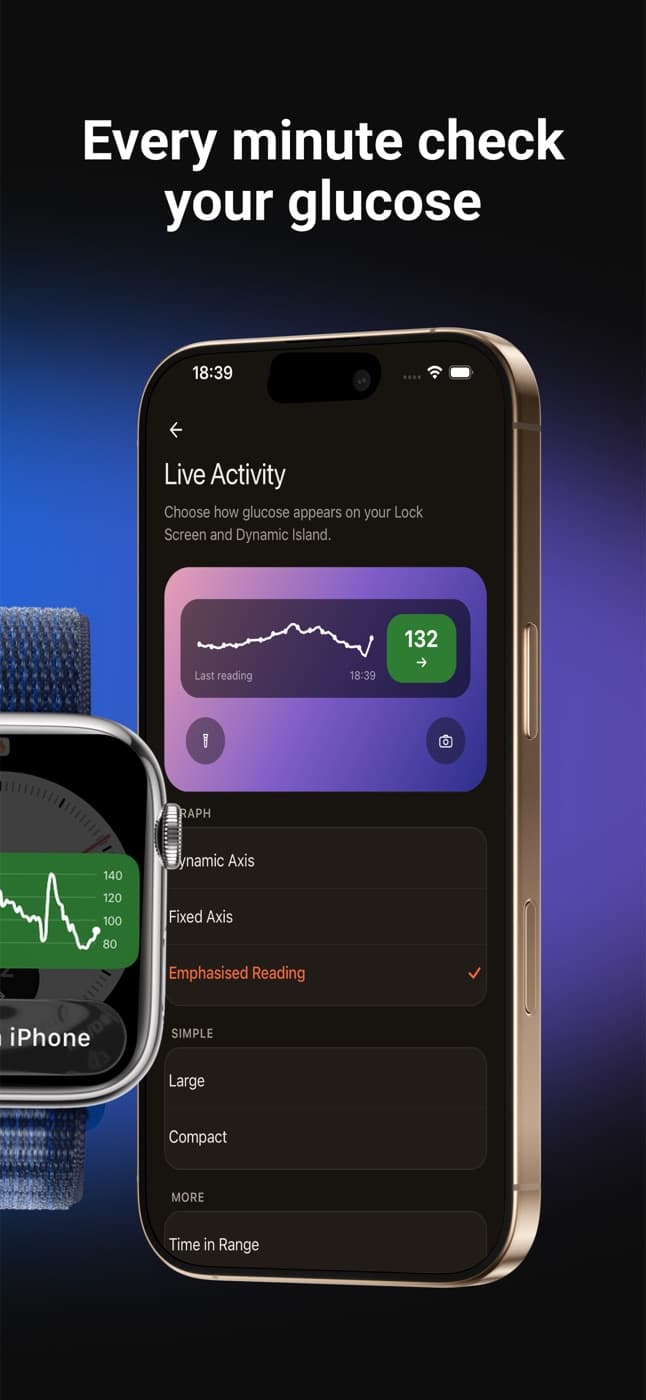
The graph styles help when you want to see where you're heading; Large and Compact when you only want the number.
How often it updates
With Dulce Pro, Dulce's server updates the Live Activity every minute, even with the iPhone locked and the app closed. How fresh the number is depends on the Libre app on the sensor phone having uploaded the reading: if that phone loses internet, you'll see the time of the last reading fall behind.
iOS limits worth knowing
- iOS limits how long a Live Activity can run. Apple sets a maximum number of active hours, then the system removes it. If it disappears, open Dulce and it comes back. If Dulce can't update your Lock Screen for a while, it sends you a quiet notification to open the app.
- Low Power Mode cuts background updates.
- Live Activities don't appear on iPad.
What about widgets?
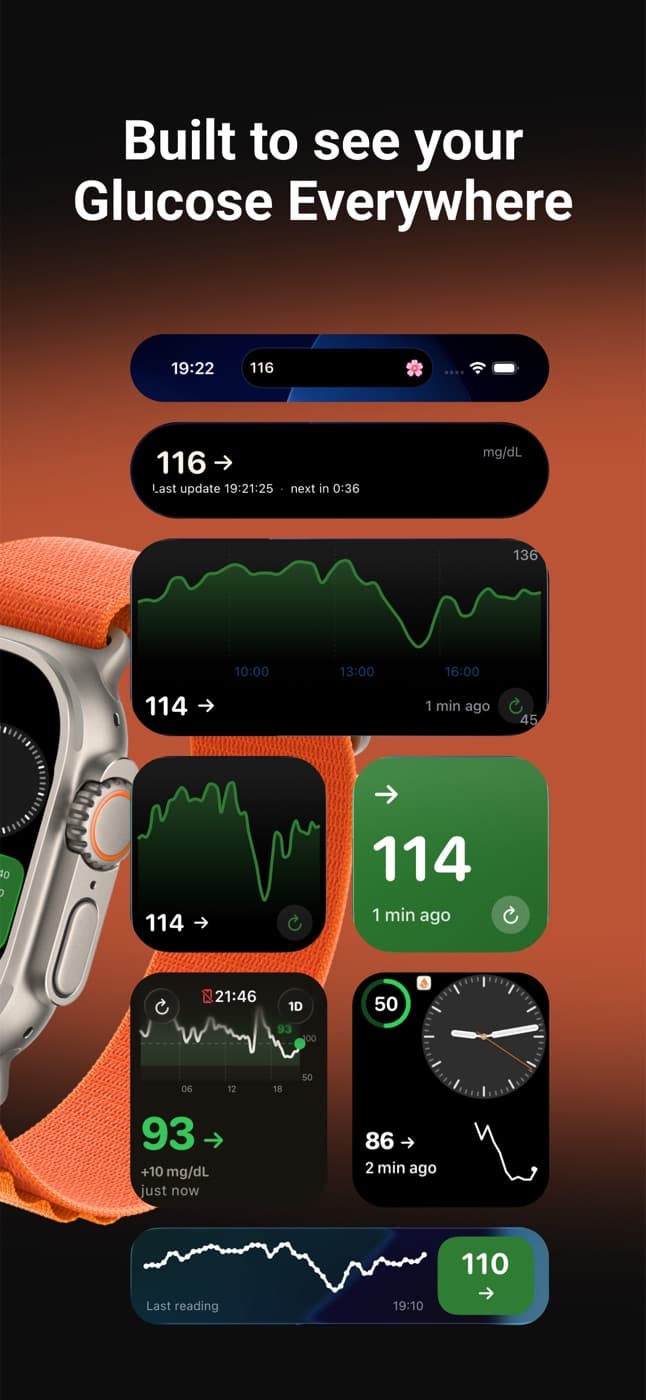
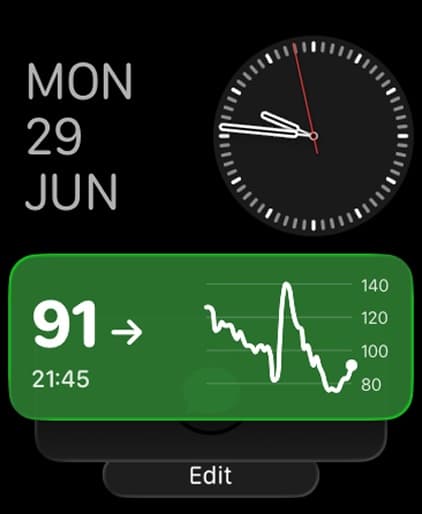
If you don't want the Live Activity or don't have Pro, you can put a glucose widget on your Lock Screen, Home Screen or StandBy. We explain it in the Libre widget for iPhone guide. To wear it on your wrist, see the Apple Watch guide.
Coming from another app such as Sweet Dreams or Gluroo? We compare them and show how to switch in a minute in Libre glucose apps for iPhone compared.
Quick questions
How do I put my Libre glucose on the iPhone Lock Screen?
With a Live Activity, because the Libre app doesn't show it there. In Dulce, connect your LibreLinkUp account, turn on Live Activity & Dynamic Island in Settings and allow Live Activities for Dulce in the iPhone Settings app.
How often does the Live Activity update?
Every minute with Dulce Pro, even with the iPhone locked and the app closed. The number can only be as fresh as the last reading the Libre app on the sensor phone uploaded, so always check the reading time.
Why does my glucose disappear from the Lock Screen?
Because iOS ends Live Activities after a maximum number of hours. Open Dulce and it comes back. If Dulce can't update your Lock Screen for a while, it sends you a quiet notification to open the app.
Is it free?
The Live Activity is a Dulce Pro feature with a 14-day free trial. Glucose widgets for the Lock Screen and Home Screen are free. Read more: FreeStyle Libre widget for iPhone: Home Screen, Lock Screen, StandBy
This article is for information and does not replace advice from your care team. Dulce is not a medical device and does not replace your sensor's alarms.
Dulce is an independent app, not affiliated with Abbott. FreeStyle Libre, LibreLink and LibreLinkUp are trademarks of Abbott.
Founder of Dulce, lives with type 1 diabetes
Giorgi lives with type 1 diabetes and founded Dulce. He built the app because he was tired of unlocking his phone, opening an app and waiting just to see one number. He writes about what he uses every day with his sensor, iPhone and Apple Watch.
Tools and setup
Keep reading
Dulce guide
FreeStyle Libre widget for iPhone: Home Screen, Lock Screen, StandBy
Read →
Dulce guide
How to see your FreeStyle Libre glucose on Apple Watch
Read →
Dulce guide
Glucose alerts on iPhone: lows, highs and how to hear them at night
Read →
Dulce guide
Sweet Dreams alternative: Libre glucose apps for iPhone compared
Read →