A Dexcom Follow and Sugarmate alternative for iPhone
Dexcom Follow, Sugarmate and Dulce all read the same Dexcom Share data, a new reading every 5 minutes, and you can use them side by side. Dulce adds the number on the Lock Screen, Apple Watch and CarPlay without opening an app. Dexcom Follow is still the better choice for following many people (up to 25), and Sugarmate for alerts that override silent mode.
· 5 min read
If you wear a Dexcom, or follow someone who does, you've probably used Dexcom Follow and maybe Sugarmate. Both are free and both do their job. People usually start looking for something else for one reason: they want the number on the Lock Screen, the watch or the car without opening an app. This guide compares the three honestly, says where Dexcom Follow and Sugarmate are still the better choice, and shows how to try Dulce without changing anything you already use.
Three apps, one source
All three read the same thing. Your Dexcom app uploads each reading to Dexcom, and with Share turned on Dexcom makes it available to other apps, a new reading every 5 minutes.
- Dexcom Follow is Dexcom's own app for followers: family members invited from the Share section of the Dexcom app.
- Sugarmate (now made by Tandem Diabetes Care) signs in with the Dexcom account and adds statistics, logging and extra ways to be alerted.
- Dulce also signs in with the wearer's Dexcom account and puts the reading where you already look: Lock Screen, Dynamic Island, widgets, Apple Watch and CarPlay.
Because they all read from Dexcom, you can use them side by side. Nothing changes on the sensor or in the Dexcom app.
Side by side
| Dulce | Dexcom Follow | Sugarmate | |
|---|---|---|---|
| Who it's for | The wearer and up to 3 followers | Followers of a Dexcom user | The wearer (and contacts) |
| Dexcom sensors | G6, G7, ONE+ | Any that use Dexcom Share | G6 and G7 (Dexcom's page) |
| FreeStyle Libre | Yes, via LibreLinkUp | No | No |
| Lock Screen Live Activity and Dynamic Island | Yes (Pro) | Not in its listing | Not in its listing |
| CarPlay | Yes, the Live Activity on iOS 26 (Pro) | Not in its listing | Mentioned by its users |
| Apple Watch | App and complications (Pro) | Yes | Mentioned by its users |
| Widgets | Yes, free | Not in its listing | Mentioned by its users |
| Alerts that ring on silent | No: they follow your iPhone's sound settings | Its own customizable alerts | Yes, critical alerts and phone calls |
| Logbook and statistics | Carbs, insulin, notes, time in range, GMI (free) | Glucose and trends | 30+ statistics, food database, reports |
| How many people | Share with up to 3; a follower follows one person | Follow up to 25 people | Text and call contacts |
| Price | Free download; Pro subscription with a 14-day trial | Free | Free |
Where Dexcom Follow and Sugarmate are the better choice
Being honest here saves you time:
- You follow several people, or many. Dexcom Follow can follow up to 25 people in one app. In Dulce a follower follows one person at a time.
- You need an alert that gets through silent mode. Sugarmate can send critical alerts that override silent mode and Do Not Disturb, and can phone you. Dulce's alerts are regular notifications and follow your iPhone's sound settings.
- You want detailed statistics and reports. Sugarmate has far more numbers, a food database and report exports.
- Everything should be free. Both are free. Dulce's widgets, logbook and Trends are free, but the Live Activity, Apple Watch app and family sharing need Pro.
Where Dulce helps
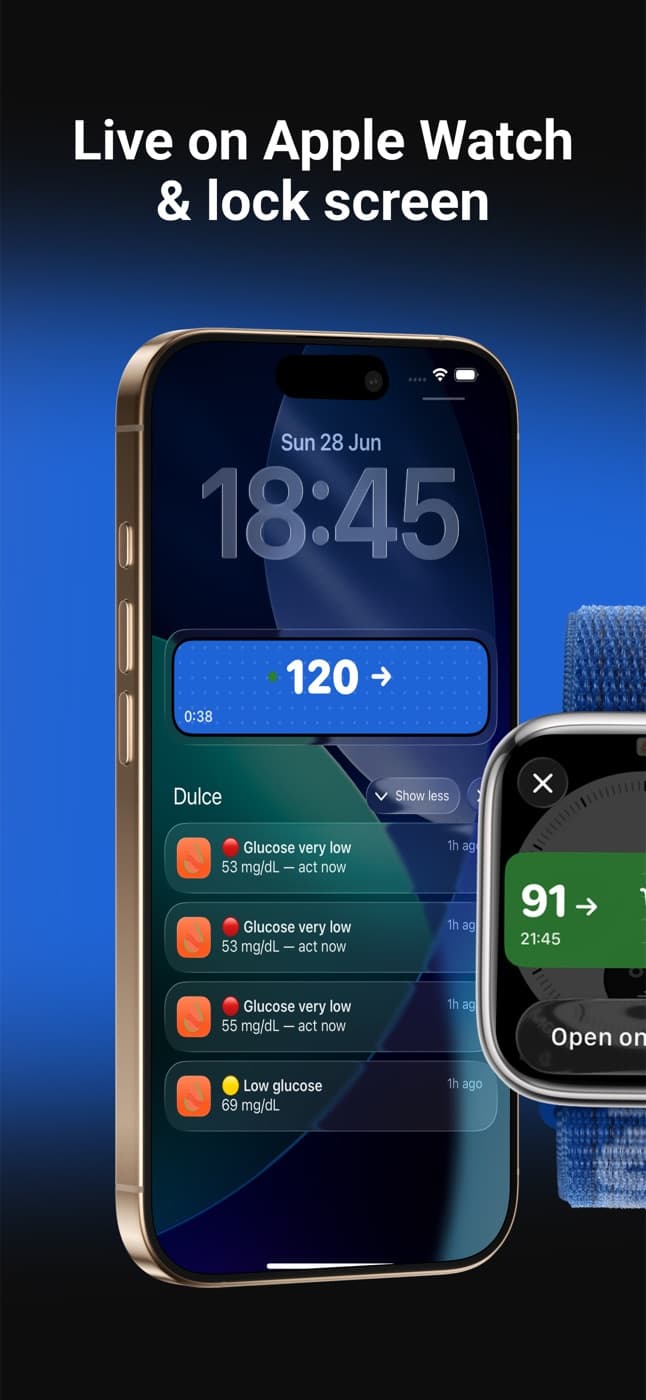
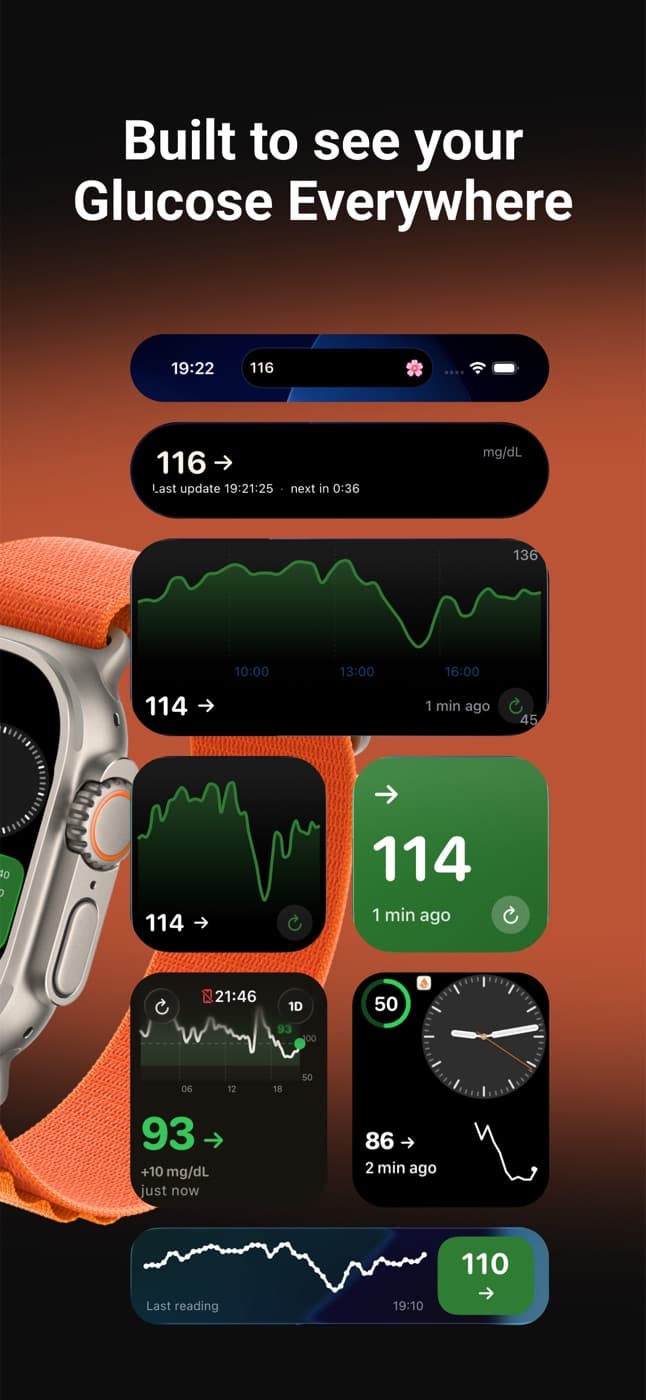
- The number without opening anything. A Live Activity on the Lock Screen and in the Dynamic Island with the number, the trend arrow and the last hours, kept fresh by Dulce's server even with the app closed. With iOS 26 the same Live Activity shows on your car's CarPlay screen. See the Lock Screen guide.
- A real Apple Watch app with complications for every watch face. See the Apple Watch guide.
- Free widgets for the Home Screen, Lock Screen and StandBy.
- Clear about freshness. Dulce knows Dexcom sends a reading every 5 minutes, so a reading only shows as old once it's really overdue, and then it says so.
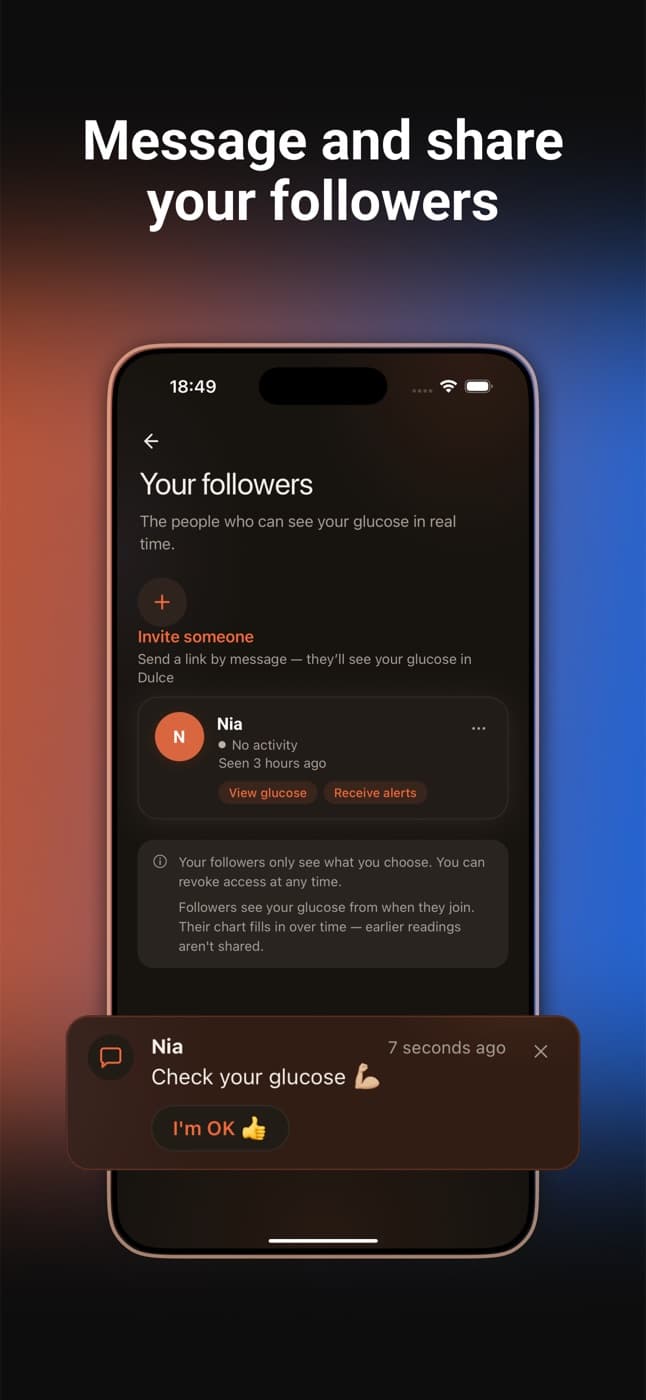
- Family that follows for free. Invite up to 3 people with a link. They install Dulce and don't need a Dexcom account or a sensor. They get their own alerts and can send you a quick "Are you OK?" that you answer with one tap. More in family sharing.
- In your language. The whole app is in Spanish, English, German, French and Italian.
- One app if the family uses different sensors: Dulce reads both Dexcom and FreeStyle Libre.
Try Dulce without giving anything up
Keep Share on
In the Dexcom app, Share must be on with at least one follower. If someone already follows you in Dexcom Follow, that's enough.
Install Dulce and pick Dexcom
On "Which sensor do you use?", tap Dexcom.
Sign in with the wearer's Dexcom account
Use the account from the Dexcom app, not a Dexcom Follow follower's account, and pick the region where it was created: United States, Japan or Outside the US. The full walkthrough is in the Dexcom guide.
Dexcom Follow and Sugarmate keep working exactly as before. If Dulce isn't for you, delete it and nothing else changes.
For parents and followers
Dexcom Follow followers can't sign in to Dulce with their follower account: Dulce needs the account of the person wearing the sensor. There are two ways to follow someone with Dulce:
- They use Dulce and invite you. They need an iPhone and Dulce Pro; you install Dulce for free and open their link.
- You sign in on your iPhone with their Dexcom account, if you look after it (for example, you set it up for your child). Dulce then shows their readings on your Lock Screen and watch, and their phone doesn't change.
The guide to following a family member's glucose explains both in more detail, with FreeStyle Libre as the example; with Dexcom the steps are the same.
Sources
- Apple App Store. Dexcom Follow (US listing: features, up to 25 Sharers, requirements). apps.apple.com
- Apple App Store. Sugarmate by Tandem (US listing and version notes). apps.apple.com
- Dexcom. Sugarmate (compatible sensors, alerts, phone calls). dexcom.com
- Apple App Store. Dulce: Glucose at a Glance. apps.apple.com
Quick questions
Can I use Dulce and Dexcom Follow at the same time?
Yes. Both read from Dexcom Share and change nothing on the sensor or in the Dexcom app. A Dexcom Follow follower already counts as the follower Dexcom needs before it shares.
Can I sign in to Dulce with my Dexcom Follow follower account?
No. Dulce needs the Dexcom account of the person wearing the sensor. To follow someone, have them invite you from Dulce, or sign in with their account if you look after it. Read more: How to see your child's glucose on your iPhone
Do Dulce's alerts ring when the iPhone is on silent?
No. They are regular notifications and follow the iPhone's sound settings. If you need alerts that ring on silent, keep the Dexcom alarms on or use an app that offers them. Read more: Glucose alerts on iPhone: lows, highs and how to hear them at night
This article is for information and does not replace advice from your care team. Dulce is not a medical device and does not replace your sensor's alarms.
Dulce is an independent app, not affiliated with Abbott. FreeStyle Libre, LibreLink and LibreLinkUp are trademarks of Abbott.
Founder of Dulce, lives with type 1 diabetes
Giorgi lives with type 1 diabetes and founded Dulce. He built the app because he was tired of unlocking his phone, opening an app and waiting just to see one number. He writes about what he uses every day with his sensor, iPhone and Apple Watch.